Variable Assignment for States

Status
Not open for further replies.

akmag47

Joined
Feb 21, 2015
Messages
15
Reaction score
0
I encountered an issue on 3cx vad where when assigning "AK" to the expression parameter in the Variable Assignment component, it returns to me the string "Alaska".

The other states such as Nevada, Washington, California, Texas are returning the correct expressions to me after setting them such as NV, WA, CA and TX. The only issue is the Alaska variable.

The reason this is important is because I'm sending these parameters as part of the web service I'm trying to use to get information. The information, if retrieving the parameters correctly, would give listings. I can't do it with listings on Alaska though because of this issue.

Any ideas?
 
Hi there,

I'm not sure to understand completely what you mean, but if you need to set the string value "AK" to a variable, you need to set it with single quotes:
'AK'

If you just enter
AK

Then you're referring to a variable with that name. If that variable exists, then you will get the value into it, for example the string "Alaska".

If you want constant string values, use single quotes when the field is an expression.

Kind regards.
 
I used single quotes and I also tried it with double quotes. It still returns "Alaska" instead of "AK" which was what I set in the expression field of variable assignment.

The way I'm checking it is I set a prompt after assigning the variable and play it. Is there another way to check it?
 
You can use the built-in debugger to check the value of the variables.

If you're using Text to Speech to reproduce the value, then the TTS engine can "say" what it considers convenient for each written text. Specially with acronyms, this could not be very accurate.

So, if you want to check a variable value, use the debugger, or check the 3CXIvrServer.log file.

Regards.
 
Ok. I checked in debugger and it's showing "AK" value on the variable I set it onto at the beginning of the mainflow. I guess that's just how the TTS feature works.

I'm trying to check the changes to my callflow through the debugger but it doesn't seem to be tracking the changes thoughout the call. I'm only getting "red" changes on the variables that I set early on the callflow but when it comes to the components I created, I'm not getting anything, such as on the menu component I named as "Disclaimer" or the user input component I named as "PromptCaseNum".

Here is a sample of my results from the debugger:

session
ani 408
callid From _408_...
dnis 840

...

Disclaimer
Result undefined

PromptCaseNum
Result undefined
Buffer undefined

...
 
The debugger should show the variable changes in red when you go step by step. Don't you see that? Can you describe the procedure you're following to debug the app? Paste some screenshots?
Thanks.
 
Sorry if I'm unclear, I'm fairly new to 3CX VAD. I hope this can clear things up:

I do see the variables change in red. However, it does not reflect the ones from the user input.

Let's say, I placed an option 1 on the SelectState menu component. This conforms to Arizona or "AZ". Then I try to assign it to the public variable, "State", that I declared at the beginning of the callflow using a Variable Assignment component. However, the debugger still shows the initial value I set it with, which was "AK".

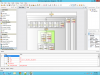
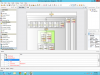
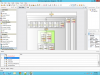
Here is my step-by-step procedure:
So after I'm finished with my changes, I do Build -> Debug Build. Then I deploy the project to the 3cx phone system by Build -> Deploy...

I call the debug extension to verify my changes and after my call, I do Debug -> Start Debugging

These are my screenshots:


Debug pics:
 

Attachments

  • Focus_View1.png
    Focus_View1.png
    128.8 KB · Views: 9,052
  • Debug_View1.png
    Debug_View1.png
    145 KB · Views: 9,051
  • Debug_View2.png
    Debug_View2.png
    144.2 KB · Views: 9,051
  • Debug_View3.png
    Debug_View3.png
    145.7 KB · Views: 9,050
Hi there!

Thanks for the detailed feedback.

It seems that you're not going forward when debugging. In that case the debugger will always show you the state when the call started. I see that in every screenshot the highlighted component is the first one, so you're not moving...

This is what you need to do:
- After start debugging, you may have 3 buttons available in the toolbar: Step into, Step Over, Step out
- Press those buttons to move on. For example, the first time you should press Step Over, and then Step Into in order to get into the User Input component.
- You will see that the component highlighted with yellow background will move. And the variables will change the value as you go.

Please give it a try and let me know if you see any change.

Kind regards.
 
I understand now. After those instructions, I was able to see the digits on the userinput buffer, the changes on state, etc.
Thanks for clearing that up!
 
Status
Not open for further replies.

Latest Posts

Forum statistics

Threads
112,322
Messages
591,886
Members
165,469
Latest member
footandankle.my3fcx.us