


- Joined
- Jan 18, 2023
- Messages
- 19
- Reaction score
- 0
I wanted to extract all the IP blacklist from 3CX to put them in the drop list of my firewall... I configured 3CX to send me the emails but that was not enough so I wrote a nice code to save the IP to a file.
to avoid duplicates, as the blacklist on the firewall will give me an error and is annoying to find it, the file should not be cancelled as it is read from outlook at startup and kept in memory.
In order to distinguish the IP I've already added to the firewall and the ones still to add there is an "x" or "y" after the IP address so is easy
here is the code
here is an example of the file
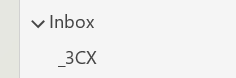
and here the config on outlook:
Hoping you find this handy!
to avoid duplicates, as the blacklist on the firewall will give me an error and is annoying to find it, the file should not be cancelled as it is read from outlook at startup and kept in memory.
In order to distinguish the IP I've already added to the firewall and the ones still to add there is an "x" or "y" after the IP address
so is easyhere is the code
Code:
Dim WithEvents Items As Outlook.Items

Private Const ForReading = 1, ForWriting = 2, ForAppending = 8
Private Const TristateUseDefault = -2, TristateTrue = -1, TristateFalse = 0
Private Const DestFolder = "_3CX" 'choose your own folder on Outlook, must be under Inbox
Private Const DestFile = "\3CX Ban.txt" 'choose your own file name, saved under Documents
Private Const SenderName = "3CX Communications System - my3CX" 'is the sender of the email from 3CX
Private Const CheckChar = "x"

Private IPDictionary As Object
Private IPBanTextFile As String
Private FileSystemObject As Object
Private FileText As Object
Private FileDict As Object
Private myDestFolder As Outlook.Folder


Private Sub Application_Startup()
    Dim olApp As Outlook.Application
    Dim objNS As Outlook.NameSpace
    Dim strIn As String
    Dim arrSplitStrings1() As String
    Dim arrSplitStrings2() As String
    Dim myInbox As Outlook.Folder
    Dim myItems As Outlook.Items
    Dim myItem As Object

    Set olApp = Outlook.Application
    Set objNS = olApp.GetNamespace("MAPI")
    Set Items = objNS.GetDefaultFolder(olFolderInbox).Items
    Set myInbox = objNS.GetDefaultFolder(olFolderInbox)
    Set myDestFolder = myInbox.Folders(DestFolder)

    Set IPDictionary = CreateObject("Scripting.Dictionary")
    Set objFolders = CreateObject("WScript.Shell").SpecialFolders
    IPBanTextFile = objFolders("mydocuments") & DestFile

    Set FileSystemObject = CreateObject("Scripting.FileSystemObject")
    Set FileText = FileSystemObject.OpenTextFile(IPBanTextFile, ForReading, True)
    strIn = FileText.readall
    arrSplitStrings1 = Split(strIn, vbNewLine)
    For Each aKey In arrSplitStrings1
        If Len(aKey) > 0 Then
            arrSplitStrings2 = Split(aKey, vbTab)
            IPDictionary.Add arrSplitStrings2(0), arrSplitStrings2(0)
        End If
    Next
    FileText.Close
End Sub

Private Sub Items_ItemAdd(ByVal Item As Object)
    On Error GoTo ErrorHandler

    Dim Msg As Outlook.MailItem
    Dim aI As Integer
    Dim Key, Value

    If TypeName(Item) = "MailItem" Then
        Set Msg = Item
        If Msg.Sender.Name = "3CX Communications System - Massimo Savazzi" Then
            If Left(Msg.Subject, 2) = "IP" Then
                aI = InStr(Msg.Subject, "has been")
                Key = Trim(Mid(Msg.Subject, 4, aI - 4))
                If Not IPDictionary.Exists(Key) Then
                    Set FileText = FileSystemObject.OpenTextFile(IPBanTextFile, ForAppending, True)
                    FileText.WriteLine Key & vbTab & CheckChar
                    FileText.Close
                    IPDictionary.Add Key, Key
                End If
                Item.Move myDestFolder
            End If
        End If
    End If

ProgramExit:
    Set Msg = Nothing
    Exit Sub
ErrorHandler:
    Set Msg = Nothing
    MsgBox Err.Number & " - " & Err.Description
    Resume ProgramExit
End Sub
here is an example of the file
Code:
182.253.210.194    y
121.164.125.211    y
106.250.171.90    x
and here the config on outlook:
Hoping you find this handy!


