"Video conference is disabled for this user" Issue

Status
Not open for further replies.

MontEnt

Customer
Joined
Dec 29, 2021
Messages
23
Reaction score
4
Today several users were prompted to update their 3CX Windows apps and upon doing so discovered they could no longer create quick-meetings (the button on the 3CX app is grayed out). Selecting the schedule conference button with video and clicking start now shows "Video conference is disabled for this user". We are on self-hosted 3CX v16.0.16 and no config changes have been made to the system. If I look at the 3CX admin site, I see "Allow user to organize 3CX Webmeeting Video Conferences" checked under options.

Is this a known problem with the latest Windows client update (16.3.0.264)? How can I downgrade to a prior version of the Windows client?
 
Check the user's extensions settings under the management console, that they have a first/last name configured and that they have an email address as this is required for the webmeeting to work. Also under the options tab of the user's extension in version 16, there is an option that needs to be enabled called 'Allow user to organize 3CX Webmeeting Video Conferences'
 
  • Like
Reactions: Evolute IT
Check the user's extensions settings under the management console, that they have a first/last name configured and that they have an email address as this is required for the webmeeting to work. Also under the options tab of the user's extension in version 16, there is an option that needs to be enabled called 'Allow user to organize 3CX Webmeeting Video Conferences'
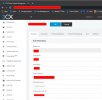
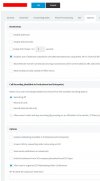
Hi Charles, I have checked both of these screens (no config changes had been made and users could web meet without issues until their Windows 3CX client app was updated to v16.3.0.264). Is there a way to downgrade the clients?
 

Attachments

  • Ext.jpg
    Ext.jpg
    124.4 KB · Views: 225
  • Options.jpg
    Options.jpg
    143.5 KB · Views: 231
Hi Charles, I have checked both of these screens (no config changes had been made and users could web meet without issues until their Windows 3CX client app was updated to v16.3.0.264). Is there a way to downgrade the clients?
Try enabling "Click2Meet".
 
Try enabling "Click2Meet".
OK ... I enabled Click2Meet from the Click2Talk/Click2Meet tab in the management console, which did enable the "Start a 3CX Video Conference Now" button on the Windows client, however, when I click it, it tries to go to our 3CX self-hosted server and fails with a page cannot be found error. Normally, the link goes to our FQDN on "....3cx.net" for web meetings and there are not a lot of options in Click2Meet for configuring this.
 
OK ... I enabled Click2Meet from the Click2Talk/Click2Meet tab in the management console, which did enable the "Start a 3CX Video Conference Now" button on the Windows client, however, when I click it, it tries to go to our 3CX self-hosted server and fails with a page cannot be found error. Normally, the link goes to our FQDN on "....3cx.net" for web meetings and there are not a lot of options in Click2Meet for configuring this.
The WebMeeting FQDN is now the PBX FQDN in v18.
 
Thanks! We are on V16.
That could be why. The new client will work with the newer version of 3CX.

This means you should upgrade to v18. Which you should anyway to be honest, since v16 will eventually stop working and stop being supported.
 
  • Like
Reactions: Charles_3CX
That could be why. The new client will work with the newer version of 3CX.

This means you should upgrade to v18. Which you should anyway to be honest, since v16 will eventually stop working and stop being supported.
I do agree that there seems to be some V18 code mixed into the automatic client upgrade the we received. The info page on the Windows client says v16.3.0.264, so it at least does not seem we have the V18 client.
 
@MontEnt
Actually, with the latest 3cx app for windows, this will try to access the new version 18 web meeting portal and will not be able to as there isn't one as you are on version 16. The best option is to update to version 18 or use the web client in version 16 to schedule the webmeeting.
 
  • Like
Reactions: Evolute IT
@MontEnt
Actually, with the latest 3cx app for windows, this will try to access the new version 18 web meeting portal and will not be able to as there isn't one as you are on version 16. The best option is to update to version 18 or use the web client in version 16 to schedule the webmeeting.
I see. We are not really in a position to upgrade to V18 over the holidays nor into the first part of the new year. I can imagine this is going to be a problem for any 3CX users using V16 who have automatic updates turned on. How can we rollback the client installs to the prior version?
 
its not possible to roll back I'm afraid, I can suggest using the webclient for now.
 
  • Like
Reactions: Evolute IT
its not possible to roll back I'm afraid, I can suggest using the webclient for now.
OK, we have not used the web client before and I suspect access has been locked down as I get the 3CX screen with the message "Disconnected. Waiting for network." when trying the web client.
 
Status
Not open for further replies.

Forum statistics

Threads
112,349
Messages
592,027
Members
165,514
Latest member
megalmazan