Video Conferencing issue for multiple clients

Akhilesh Sharma

Bronze Partner
Joined
Mar 9, 2022
Messages
15
Reaction score
0
We are on Version 20.0 Update 9 (Build 995 Release - AI 1.4.48) of 3CX. We recently updated to eliminate the video conferencing issues that is happening to everyone in the company and our clients as well who are on different system. The video preview does not work despite of changing the browsers, it lags constantly even thought we are on 1Gbps with zero ping drop.

At this point we are not sure what is causing these issues, this has been really frustrating for us and our clients. We did not find any fix on the web. Please help. We are on self-hosted version inside our datacenter.

Thank You
 
Hi @Akhilesh Sharma what MCU region are you using? could you please restart the gateway service and make sure these ports are allowed in the firewall:

  • HTTPS Port 443 (inbound, TCP) must be allowed for participants to connect your 3CX System, if you installed with 5001 then make sure that port has its NAT rule.
  • 3CX System: Port 443 (outbound, TCP) must be allowed to connect to 3CX’s cloud infrastructure
  • Users: Port 443 (outbound, TCP) and 48000-65535 (outbound, UDP) must be allowed to exchange audio and video with other participants
 
We are using North America MCU and our datacenter is based in Orangeburg, NY.

Yes, we have all those NAT rules in place as we have been using the system since 2021. This started to happen for 2 months and has become widespread now.
 
I have tested the North America MCU and it is working properly.

Have you tested using a pbx out of your datacenter, for example with Hosted by 3CX?

are these users under a network with Deep packet inspection or ssl inspection?
 
We do not have any system hosted by 3CX so can't really test.

No, the users are not under deep packet inspection or any kind of SSL inspection.

Users have reported this issue from home, while traveling, in the office, etc. All of these locations worked previously without issue.
 
ok, but are you able to create, join the conference? or do you get any error?

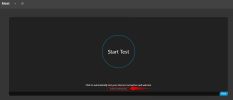
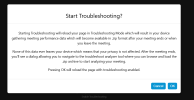
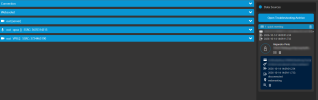
If you dont get any error and you can join the meeting but present connectivity issues you could enable the troubleshooting as the pics below:

1791986776908.png


1791986807921.png

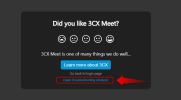
When you end the meeting a file with the telemetry data will be downloaded.

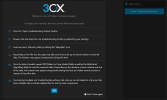
Then click on troubleshooting analyzer

1791987125649.png

1791987188051.png


Then you can check the connectivity for those users who were presenting the failures, etc

1791987337239.png
 

Forum statistics

Threads
112,247
Messages
591,478
Members
165,340
Latest member
Themarketmindset