View IP addresses of connected phones?

Status
Not open for further replies.

Nick@GCA

Customer
Joined
May 6, 2020
Messages
3
Reaction score
0
Hi,

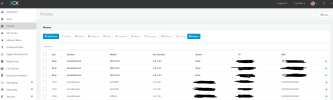
Finally purchased a few enterprise licenses and upgraded from v16 to v18 last week and just noticed that we can no longer see the current IP address of connected physical and soft phones under the "Phones" section table. Where is this information now?

Thanks!

-Nick
 
Do you not see phones at all, or you just don't see the IP address column? Because it's definitely there in v16 and v18 regardless of version. I'd try a hard browser refresh, incognito, etc.
 
Do you not see phones at all, or you just don't see the IP address column? Because it's definitely there in v16 and v18 regardless of version. I'd try a hard browser refresh, incognito, etc.
Doh.

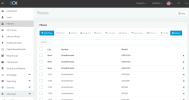
Just realized that the new v18 interface automatically removes columns that don't fit narrow monitor widths.

3cx narrow.png 3cx wide.png

Thanks.

-Nick
 
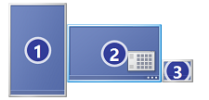
Hah. I didn't know that. Do you have a monitor in portrait mode?
 
Hah. I didn't know that. Do you have a monitor in portrait mode?
As a matter of fact I do.

displaylayout.png

I find the vertical monitor really useful for long scrolling documents, spreadsheets, forums, etc.

-Nick
 
Is there any solution to this? Very often I find myself looking for the info in the hidden columns on mobile.

Is this info available anywhere else?
 
Status
Not open for further replies.

Forum statistics

Threads
111,974
Messages
590,081
Members
164,899
Latest member
mazet