Voicemail via extension from IVR

Status
Not open for further replies.

thisisbones

New User
Joined
Jan 23, 2023
Messages
5
Reaction score
1
Hey!
New to 3CX, figured out most of it, however I am having trouble redirecting people to users voicemails.
The scenario I want to use this in follows:
People call my number, IVR greets them and asks them to enter their event code(extension), then this extension I want to go straight to voicemail so the person can leave a mesage.
There will never be anyone actually on these extensions, I am just wanting to use it as a voicemail recording service.
Scenario that has worked below.
If I am logged in to the user, the extension will start calling, and I can manually send to voicemail.
Scenario that has not worked below.
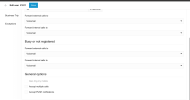
If user is logged out, I put in the extension, then the phone just says "thank you, goodbye", instead of going to that users voicemail.
If anyone can assist, this would be great.
 
HI there,

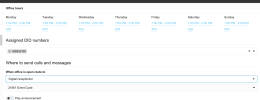
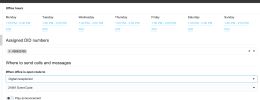
Regarding your question, first, check under the admins WebClient > Admin > Office hours section and ensure you have set your office hours there.

Then check that the DID is routed to the office hours section by adding the DID required from the Assigned DID numbers drop-down menu, from where you can then assign where the call will be routed for each of the sections below:

1674491244768.png
 

Attachments

  • 1674491233503.png
    1674491233503.png
    50.8 KB · Views: 6
Hi Charles,
Thank you for that information, I have had this setup.
However I have the calls routed to Digital Receptionist, so people calling can enter in an user extension. As mentioned above this works if the user is registered and online, however i wont be having any users registered or online and just want them directed to the voicemail for that particular user.
 

Attachments

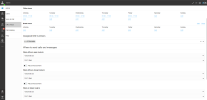
  • Screen Shot 2023-01-24 at 9.32.53 AM.png
    Screen Shot 2023-01-24 at 9.32.53 AM.png
    138.7 KB · Views: 3
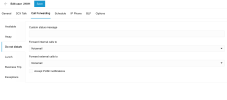
This should still work, Although if you have opened the extension with a webclient or mobile app, for example, where the push is enabled, the extension will not unregister when the client/app is closed.

In this case, it would be recommended to set the extension status to DND and ensure the forwarding rules are set to direct calls to voicemail when in DND status.
 
  • Like
Reactions: Evolute IT
Unfortnately, neither of those cases are working.

See screenshots attached.
It just ends up saying "thank you, goodbye" then hangs up.
 

Attachments

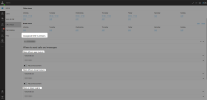
  • Screen Shot 2023-01-24 at 9.32.53 AM.png
    Screen Shot 2023-01-24 at 9.32.53 AM.png
    138.7 KB · Views: 5
  • Screen Shot 2023-01-24 at 10.20.42 AM.png
    Screen Shot 2023-01-24 at 10.20.42 AM.png
    207.8 KB · Views: 4
  • Screen Shot 2023-01-24 at 10.20.50 AM.png
    Screen Shot 2023-01-24 at 10.20.50 AM.png
    144.3 KB · Views: 3
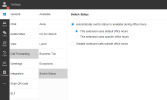
The times you have set in the office hours mean that the office is open between 1 pm and 2 pm, and the extension will be available. Other times the extension will switch to DND automatically if you also set them to auto switch, as below:

1674510176006.png


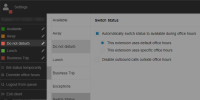
You can also purposely set the extension to DND by logging in to the extension webclient and switching the status to DND:

1674510304180.png
 
Last edited:
Thanks for that, unfortunately it is still not making it to voicemail. It is literally just ending the call.
 
Figured out my issue. I was pressing the hash/pound key after entering the extension - this was ending the call.
 
  • Like
Reactions: Charles_3CX
Status
Not open for further replies.

Members Online Now

Forum statistics

Threads
111,831
Messages
589,277
Members
164,660
Latest member
RJenkinsROCK