VOIP.ms SIP No Registration Attempts - 3CX SMB

Fralex

SMB User
Joined
Feb 18, 2025
Messages
9
Reaction score
0
Hi,

I've been using 3CX Enterprise for a while and I am now trying to setup an additional instance with a 3CX SMB License for testing purposes.

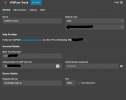
There are literally no differences between the VoIP.ms trunk configuration in my Enterprise instance and the VoIP.ms trunk configuration in my 3CX SMB hosted instance yet, I do no see any logs showing registration attempt to the trunk in the SMB instance. I have also using the same VoIP.ms account, but different sub accounts that are identical.

Why are there no registration attempt to the VoIP.ms trunk from the 3CX SMB hosted instance (no logs or anything)?

Thank you
 
Check with your provider if they only allow registrations from specific IP addresses. They might be blocking registrations.
 
Thanks for your answer.

Wouldn't I see a "registration failed" error log in this case?
 
Try with an invalid password, They might be grey listing you.

An invalid password will give an error in the event log as well.

Also, Did you try to refresh the registration from the 3 dots on the right hand side?

1739893933819.png
 
I had tried with an invalid username, and I just tried with an invalid password following your comment.

Still no logs in the dashboard, even when refreshing the registration.

I've also tried IP address instead of domain name.

I do receive logs from the SIP server when trying to place a call, saying "reached max amount of calls" which is obvious since the trunk isn't registered, but nothing about registration attempts.
 
Last edited:
Hi,

Just a follow up.

I've been speaking with the VoIP.ms support team, and traces were taken.

No traffic is being detected when using port 5060. They have advised to test using 5080, and the same situation is happening.

Thanks
 
Are you sure you have set up the trunk with the required settings? Check the IP address they provided and enter it under the Registrar/server section of the VoiP.MS sip trunks settings.
 
Yes, I am sure, and the configuration looks identical to the one in my Enterprise license.

There are simply no registration attempts being made.

Should I kill and re-create the 3CX instance?
 

Attachments

  • trunk.png
    trunk.png
    70.5 KB · Views: 5
Just an update that I have re-created the SMB instance, and the symptoms are the same. I was surprised to see that the same ip and dns were provided.
 
Hello,

Another update to mention that I have created a 2nd 3CX SMB instance under a temporary email address with success.

The Trunk registered right away with VoIP.ms using the same informations.

The only explanation I can see if that there has been an initial deployment issue with the shared instance.

@Charles_3CX @NicholasP_3CX is there a way to completely removed any traces of my orignal instance under my real email address so I can re-create the 3CX SMD instance under the right email address?

Thank you
 
Just go into the subscription and delete the SMB instance from your portal.

1740062018575.png
 
I have done that but it seems like some informations are being kept, the instance is re-created as is, and the bug remains.

For instance, the "company name", which then becomes the "department name" can't be changed, the hostname is not regenerated, and the extension range remains the same after deletion followed by recreating the instance, in the same account.
 
Last edited:
So the option to regenerate all configuration, including hostname, extension range and department name is to also delete the customer's account. This thread can be closed. I hope it can help someone in the future.
 

Members Online Now

Forum statistics

Threads
111,832
Messages
589,283
Members
164,662
Latest member
DejanMDS