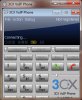
Voip Phone on Windows 7

Status
Not open for further replies.

MrKoen

Joined
Jul 3, 2009
Messages
61
Reaction score
0
Not directly related to the v8 beta, though perhaps something that can be solved in v8. I've installed the 3CX Voip Phone v3.8571 on Windows 7 Ultimate. It works okay, though the GUI gets messed up after minimizing/maximizing the screen. It shows the default Windows border around the 3CX application and moves all the contents of the form in a way such that it makes the complete application useless. Only way to get the GUI back to normal again is to shutdown and restart the application. Minimizing to the tray and restoring it won't work either. Perhaps something you guys can look into and fix in the next v8 release? If desired, I can send you a screenshot of the messed-up state of the app on request.

Thanks!
 
This may or not be related but a couple of weeks ago we were doing a 3CX demo. I couldnt get our projector to connect properly to the 3CX system so I used another laptop and opened a VNC session to it. The odd thing is that the 3CX voip phone would not show in the VNC session. It was open on the system I was connected to but it just would not show in the VNC session.
 
I am running Windows Ultimate RC2 in a domain enviroment with 3CX Voip client 7.0.4, I was unable to duplicate your issue. Are you by chance running an earlier version of 7?
 
MrKoen said:
Not directly related to the v8 beta, though perhaps something that can be solved in v8. I've installed the 3CX Voip Phone v3.8571 on Windows 7 Ultimate. It works okay, though the GUI gets messed up after minimizing/maximizing the screen. It shows the default Windows border around the 3CX application and moves all the contents of the form in a way such that it makes the complete application useless. Only way to get the GUI back to normal again is to shutdown and restart the application. Minimizing to the tray and restoring it won't work either. Perhaps something you guys can look into and fix in the next v8 release? If desired, I can send you a screenshot of the messed-up state of the app on request.

Thanks!
Hi, Koen

Thanks for your feedback. Such kind of visual behavior on some programs I've found 6-7 years ago, due to some video-card gadgets (like transparency, effects and so on) installed as add-ons, therefore between application and video card, gadgets having various bugs (some of them leading to a BSOD :mrgreen: ) Perhaps it might be the same situation here, in Windows 7, I don't know. I am interested to see a screenshot so, if you can, please post it here.

On the other hand, we are just about to release the 4.0 Beta of our voip phone, changed heavily exactly on its visual look. If you want to be the first one who test this Beta on your Windows 7, send me a PM with your eMail and I will send you the installer. However, it's just a matter of few days until release, but if you will encounter the same issues, it's better to know to "dig" on it. I attached a snapshot of our new voip phone.

Regards
vali
 

Attachments

  • IMG39.jpg
    IMG39.jpg
    34 KB · Views: 6,190
Hi all. It regards the final release of Windows 7 in my test setup (retrieved through my MSDN Premium membership in case people will say it isn't available yet - it is for subscribers). I will make some screenshots later today and post them in this topic.
 
Two screenshots how the 3CX Voip Phone looks in Windows 7 Ultimate x64 final English:

The red background is my Windows background:


As you can see the client is wrapped inside a "normal" window, though the client is still expecting the clicks on the original place. This makes the client useless since it's nearly impossible to guess where you must click to hit the right button:
 

Attachments

  • Screenshot1.jpg
    Screenshot1.jpg
    48 KB · Views: 6,044
  • Screenshot2.jpg
    Screenshot2.jpg
    58.2 KB · Views: 6,050
MrKoen said:
Two screenshots how the 3CX Voip Phone looks in Windows 7 Ultimate x64 final English
Yicks... pretty ugly :mrgreen: Never seen this before :roll:

Thank you for your feedback... and please check your PM.
Best regards
vali
 
Hi again, Koen

yesterday we released the 4.0 Beta so, if you want, please try it on your Window 7 and tell me if it has the same issues. If yes, then I will create a small spy-tool :mrgreen: which I will send to you in an attempt to "explore" voip phone to see what's happen - that's because we tested both 3.1.xx and the 4.0 Beta on two Windows 7 machines and there were no problems.

Thanks
vali
 
I just attempted to deploy this over active directory to a group of windows 7 machines, it resulted in a epic failure.
 
tpinnovations said:
I just attempted to deploy this over active directory to a group of windows 7 machines, it resulted in a epic failure.
Hi
Any feedback is better than none :mrgreen: What kind of failure? :roll: :cry:
Regards
vali
 
I'm working to find that out, It shows up in the installable applications list, however it doesn't install, and it doesn't trigger any errors in Client or Server. I have verified permissions.
 
Try to deploy on a connected Vista and XP machine. That would be the next test I would do.
If it works on Vista you can conclude that the problem is windows 7. Windows 7 happens to be still not ready.
 
Alright, Well I finally got this working. I had to relink the GPO in order for the policy to take effect. I just rebooted the lab, and every machine came back with 3CX VoIP client on it. 8)

(Windows 7 x64, Server 2008 x64)
 
Status
Not open for further replies.

Latest Posts

Forum statistics

Threads
112,330
Messages
591,908
Members
165,483
Latest member
AshleyStokes