Solved Voip trunks not resolving since updating to 16.5 yesterday

Status
Not open for further replies.

NickG

Free User
Joined
Apr 23, 2020
Messages
8
Reaction score
1
We use Voipfone here in the UK to provide three trunks, all working fine for years until we updated to V16.5 yesterday. Voipfone hasn't seen a registration since that time on any of them and the log for one of them is below

04/23/2020 10:07:51 AM - Lc:10001(@dsi[<sip:@:0/UDP>]): Registration postponed until target's destination is resolved
04/23/2020 10:07:51 AM - Registering Line Lc:10001(@dsi[<sip:@:0/UDP>])
04/23/2020 10:07:51 AM - Unregister: ADS for 10001 is not found
04/23/2020 10:07:51 AM - Unregistering Line 10001
04/23/2020 10:07:50 AM - Lc:10001(@dsi[<sip:@:0/UDP>]) Resolving targets: primary - sip:sip.voipfone.net:5060, no secondary over +UDP+IPv4+IPv6
04/23/2020 10:07:50 AM - Lc:10001(@dsi[<sip:@:0/UDP>]) is enabled now
04/23/2020 10:07:50 AM - Line 10001: Request for registration in 1141 ms
 
CPU is running a bit more here, but not 8Core 9 juice.
The system has no issue resolving, but 3cx will not.

Where/how can I get the 16.4 to roll back to?
Screen Shot 2020-04-23 at 9.47.01 AM.png
 
We are a SIP provider and one of our customers is seeing the same issue. I was able to create a workaround for them by setting the Outbound Proxy to the IP address of one of our SIP servers. Auto Discovery also had to be disabled for both the Registrar/Server/Gateway and the Outbound Proxy and port set to 5060.

As previously indicated, this seems to point to a DNS resolver issue with the 3CX software.

Waiting to hear a resolution from the ticket with 3CX.
 
Is this also on Windows? I have so few of those left and I don't know if I've updated any of them yet but we've updated several Linux instances with no issues and most of them are on our SIP trunks (supported)
 
The one customer that I worked with was on a Windows system.

For everyone else that reported this issue, can you confirm if you are on Windows or Linux?
 
Windows 10 Pro here...roll up to 16.0.4 has me back up. CPU dropped from 25% to 5%
 
Our customer we did was Windows 10 Pro 1909 with all the latest updates. It was a brand new machine to replace their old. We went from 15.5 SP6 to 16 U4A then I applied the U5 update and after that is when it went all south. I had to remove 3CX and install 4A again fresh and restore the backup and left it. We have the same SIP provider, I may update ours over the weekend and if it has the same issue I'll try IP address. We run 2 shifts and I cannot afford to have the phones down on 2nd shift. The SIP Provider was by DNS, I didn't try the IP address, I should have.
 
  • Like
Reactions: ajnewtexas
Is this also on Windows? I have so few of those left and I don't know if I've updated any of them yet but we've updated several Linux instances with no issues and most of them are on our SIP trunks (supported)
I'm on a fully supported sip provider, SIPTRUNK, Windows 10 Pro 1909 fully updated. I recommend holding off on updating Win 10 Pro machines until 3cx can get a bug fix in place
 
I'm on a fully supported sip provider, SIPTRUNK, Windows 10 Pro 1909 fully updated. I recommend holding off on updating Win 10 Pro machines until 3cx can get a bug fix in place

This probably affects Server 2016 and 2019 as well, because same code base as LTSC versions. Our in house is on 2019, so I'll be testing it over the weekend.
 
  • Like
Reactions: ajnewtexas
Same problem here with Server 2012, we've changed to IP to resolve the SIP Trunk down.
 
  • Like
Reactions: ajnewtexas
I'd advise everyone to open a ticket with 3CX support, should prompt an investigation for this I would think if multiple people are having the same issue.
 
Guess I forgot to uncheck the auto upgrade and it all happened again. Please 3cx, get a fix in place asap/pull back this release!
 
We are looking into this and we are gathering data. If you can open a ticket please do so if you cannot please send me a p.m. and i will tell you what data we need to investigate this because this is not affecting all systems.
On our test servers we cannot replicate the issue so we need to find the common denominator in any so we can provide a solution faster.
 
We had the issue happen to a customer yesterday, initially they registered but went down and would not register, created new, nothing. Nothing in wireshark capture.

We noticed that 3CXPhoneSystem.exe was chewing up 12-13% CPU and it's an 8 Core i9 system, so it looked like it was chewing a whole core up. The PSTN gateway was working, but not the SIP trunk. Anyone else noticing that process eating up a lot of CPU?

We ended up rolling back to get them back and running.

Yes - I've got a similar problem. The formerly working SIP trunk won't connect. And the 3CXPhoneSystem.exe SIP Server Process is running about 50% CPU (on a rather less powerful Windows 10 PC).

To roll back, I've only got a Ver 16.0.2 installer - will this accept a backup taken from Ver 16.0.4 ?
 
Thanks - that is very much appreciated.
It should save me a lot of messing about stepping through earlier versions and backups. It would be kind of handy if 3CX made them available somewhere, but I suppose they may have their reasons ....
 
@ajnewtexas @dmayer @VictorSP @jlohiser @NickG
We are still investigating the issue but I would like to ask something, what DNS Server is configured in Windows? Would it happen to be the same IP as the Default Gateway?
This is a completely valid setup, just trying to find some common ground among the affected systems.

If possible try the following:
  1. Stop all 3CX Service from the Windows Services window.
  2. Change the Primary DNS to something other than what it is currently, like 8.8.8.8. Also remove any other DNS Servers there you may have.
  3. Start all 3CX Service again and check if the SIP Trunk registers.
  4. Stop the services again
  5. Change the DNS Servers back to as you had them.
  6. Start 3CX Service again and check the SIP Trunk status.
 
Original DNS: 192.168.1.17 (internal server)
New DNS: 66.117.96.3 (our public server)

1. Followed steps as above and trunks registered.
2. Set DNS back to original and trunks stayed up.
3. Rebooted server and trunks went down.
4. Changed DNS again and trunks were up.
5. Left DNS as public DNS and rebooted. Trunks were down.
6. Manually restarted all 3CX services without changing DNS and trunks came up.

Right now I'm on our public DNS but if I reboot the trunks will go down.

Edit: I set my DNS back to internal domain DNS and rebooted. Trunks were down as expected. Manually restarted all 3CX services and trunks are up. It doesn't seem to matter which DNS I use. A reboot will take the trunks down and the only way to get them back up is to manually restart the services.

In the meantime, is there a prior version I can install or do I need to go back to my old server?
 
Last edited:
Original DNS: 192.168.1.17 (internal server)
New DNS: 66.117.96.3 (our public server)

1. Followed steps as above and trunks registered.
2. Set DNS back to original and trunks stayed up.
3. Rebooted server and trunks went down.
4. Changed DNS again and trunks were up.
5. Left DNS as public DNS and rebooted. Trunks were down.
6. Manually restarted all 3CX services without changing DNS and trunks came up.

Right now I'm on our public DNS but if I reboot the trunks will go down.
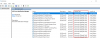
I think we may be getting somewhere. If you would indulge me, could you try settings the 3CX Services from "Automatic" to "Automatic (Delayed Start)" and rebooting the server one more time?
1587850263809.png

it could be that the services come up before the NIC has been fully loaded. "Delayed Start" will not affect anything, just after a reboot services may take a minute or two before launching.
 
That was going to be my next step, and Yes it does work.
 
  • Like
Reactions: NickD_3CX
Thanks for confirming!
I'd be good if we could get some more feedback from others users. All that should be needed is:
1. Set 3CX services to Delayed Start
2. Reboot the server
 
Status
Not open for further replies.

Forum statistics

Threads
111,974
Messages
590,081
Members
164,899
Latest member
mazet