vtigercrm7.3 and 3cx 18

Status
Not open for further replies.

itj-CRM

Free User
Joined
Oct 5, 2021
Messages
33
Reaction score
4

Attachments

Hi , I followed the below link

https://www.3cx.com/community/threads/vtigercrm-3cx-18.84133/#post-397649

and the attached xml file is working fine to connect vtiger (community edition) system but now i unable to make calls,

Can somebody please help how we can make outbound/inbound calls one vtiger configuration done.View attachment 26044
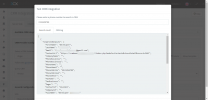
Have you made the changes required for v18 (regarding EntityId and EntityType) ? Those are not made in the version I posted and neither me nor 3CX will support/modify this template.
 
No I haven't made any entity related changes, I deleted default template of 3cx and added new template as above xml file and then tested with search phone number button from 3cx UI screen then able to fetch the CRM record details. so I consider if CRM is fetching then the integration should work.

Please give your inputs to make calls on this and if I did any wrong kindly correct me.

Thanks @ConceptsWeb for your kind reply on this.
 
No I haven't made any entity related changes, I deleted default template of 3cx and added new template as above xml file and then tested with search phone number button from 3cx UI screen then able to fetch the CRM record details. so I consider if CRM is fetching then the integration should work.

Please give your inputs to make calls on this and if I did any wrong kindly correct me.

Thanks @ConceptsWeb for your kind reply on this.
So, the contact lookup while it works will not add the EntityId and EntityType variables, which are required on v18 since the integration isn't doing a lookup before logging the call anymore.

You will need to adjust all sections of the template for this. I recommend using the current VTiger template as basis.

Note: always use a different file name and make sure the XML attribute "name" of the main XML node in the file isn't called "VTiger". Otherwise, when 3CX does an update, you'll lose your version of the template.

Once those modifications are done, the call journaling will work correctly.
 
Oke thank you for response, i will follow your instructions and try.
 
Hi @ConceptsWeb , as per your instructions i made changes in xml file (attached file) and still i unable to make calls.

could you please suggest steps to make calls, i am trying to make calls from webclient/Desktop 3cx application both not working.
 

Attachments

Hi @ConceptsWeb , as per your instructions i made changes in xml file (attached file) and still i unable to make calls.

could you please suggest steps to make calls, i am trying to make calls from webclient/Desktop 3cx application both not working.
What do you mean by "make calls"? The CRM integration doesn't have any "make call".

It does 4 things:
- Contact Lookup on incoming call
- Contact Creation (when enabled) if the contact wasn't found in Lookup
- Call Journaling (after the call ended)
- Chat Journaling (v18 only) (after the chat was marked "Dealth With")
 
Oke thanks brother for your inputs and if you don't mine kindly suggest me, how actually I have to make incoming call test.
and how chat option will work.

In 3cx web client my extension number is 10.

If any steps or documents related to testing incoming call process kindly share. Once again thanks for your valuable time on this.
 
Oke thanks brother for your inputs and if you don't mine kindly suggest me, how actually I have to make incoming call test.
and how chat option will work.

In 3cx web client my extension number is 10.

If any steps or documents related to testing incoming call process kindly share. Once again thanks for your valuable time on this.
Please reach out to a 3CX consultant for this. Afraid the setup and configuration is pretty advanced and information like this is not readily available.
 
  • Like
Reactions: Evolute IT
Status
Not open for further replies.

Latest Posts

Forum statistics

Threads
112,323
Messages
591,896
Members
165,474
Latest member
costionofrei