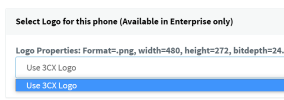
Ok, if you did that, and the default 3CX logo appeared, then clearly the phone is able to download an image from the PBX.
We have a couple of possibilities left:
1. Your image file is still incompatible with the phone - you have to try a different one until you get it right
2. The image file is not downloadable from the PBX - you can easily verify this using the following method:
- Ensure the phone is registered
- Go to your management console >> Phones tab
- Tick the phone in question, and then click "Config" button to reveal the configuration
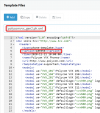
- Click inside the config box, then Ctrl+F to search in it for bg.color.bm.1.name
- This will reveal your private URL for provisioning that image on the phone, Copy this specific URL
- Now have someone who is at the actual phone site, to try and download that file from their PC. Their PC must be on the same subnet as the phones. This test should reveal if that phone, from that internet connection, can download the image file as we expect