Warning messages in video conferences

Status
Not open for further replies.

alan01

Free User
Joined
Oct 25, 2022
Messages
19
Reaction score
0
Hi there,

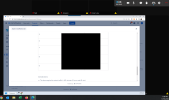
We recently experience warning messages in video conferences. All the users got a warning message in a video conference. Below the capture
1670000202409.png

We have the following questions:
- Can host and co-host performance impact overall video conferencing performance?
- Why we got these warning messages?
- How we can fix this issue?

PBX Information;

-3CX version: 18.0
-Server OS: Debian 10
-Hosting: Self-hosted on AWS

Thank you in advanced
 
Hi,
why the videos are black?
 
Hi,

The videos were black for the participant who took the screenshot, even though the other participants could see their videos among them.
 
Hi,
then I suppose that also the remote screen is stuck for the user, also if there is one frame visible, because the triangle is visible also for the screen.

For the user, when he sees the triangle on one remote video/screen, it means that it is not possible to decode the remote track anymore.
This usually is due to an excessive packet loss. And this seems confirmed also by the fact that other users can see each other.

If the user open the column option > stats (from the gear icon on the top bar) he can see some graphs that can explain better what is happening. He should see some congestion and/or some packet loss, or big latency.

About your question on host/cohost, all users transmit the same amount of data and receive the same amount of data, independently from their role.
Obviously one user without webcam/mic will not transmit anything, but he will receive the data coming from others.

If one user is not able to receive the amount of data coming from other participants (it is the sum of bitrates of the others), he will have a bad experience. But he will not affect other experiences.

In your meeting of 6 people, is he the only problematic user?
Are the users located in different places or are they connected from the same company/office?
How is he connected to internet? Wifi/Cable?
Is it a momentary problem or systematic?
Is the lan of the user managed in terms of bandwidth (firewall rules/qos,...) in order to avoid to other users on the same lan to saturate the bandwidth?
At around 1PM (as reported in the screenshot) is it possible that the bandwidth is used for updating os/app devices?
 
Status
Not open for further replies.

Forum statistics

Threads
111,972
Messages
590,065
Members
164,886
Latest member
784