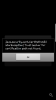
we are having issues with 3cx webmeeting and app

Status
Not open for further replies.

Readyspace SG

Joined
Aug 1, 2018
Messages
8
Reaction score
0
Hi,

Our Web meeting does not work “Meeting not found” encountered also we Couldn’t use it on my Samsung phone. this error occurred,

“java security cert path validator exception
Trust anchor for certification path not found”

Please help.
 
Hello @Readyspace SG

Please try to clear your browsers cache and update the 3CX webmeeting app from the Android Play store. Let us know if you face any issues after that
 
Hi,

I’m using: Chrome from Desktop, 3CX Webmeeting from 3CX Webmeeting Android app , 3CX Web client from Chrome android and, 3CX Web client from Chrome desktop. All are giving javax issues and “Portal not found: error.

@support, please help to check. Thanks!
 

Attachments

  • javax-error.png
    javax-error.png
    72.8 KB · Views: 7
Please update your 3CX app. Go to the Play Store > Games and Apps > Update and Update the 3CX WebMeeting App. This should fix the issue.
 
Hi,

I have reinstalled the app from store, so should be the latest version I am using now, right?

Still the same error.
 
Could you PM me the link you're trying to connect with?
 
Its the webmeeting menu item from the webclient?
 
I am having the same issue. Do you have a solution for this?
 
Try restarting your PBX's 3CX System Service and try again.
 
I restart the server. In the android webmeeting app, I got the error message : “java security cert path validator exception
Trust anchor for certification path not found”.
The app was installed yesterday so it is the latest version.
 
I have also tried to restart the services. Still no use
 
I am also facing a Portal not found error. Please refer to the attached.
 

Attachments

  • portal-not-found.png
    portal-not-found.png
    33.5 KB · Views: 14
Please note that there was an issue on our side that should now be resolved. Try to restart the system service again now. Let us know if that resolves the issue.
 
Services have been restarted. Portal still not found.
Thank you for the update. Please note that we are looking into what might be causing this and we will let you know once we have a solution.
 
We've performed a hotfix for the above issues within the last two weeks.
Everything should work ok now.

If it's not working well please make sure the following points are correctly configured on your PBX:
  • Make sure your certificate is valid and not self signed.
  • Port 5001 or 443 (MyPhone) is open for bidirectional communication with webmeeting.3cx.net
  • Make sure your extension/s at least have a Name or a Last Name.
  • Your extensions MUST have an e-mail for WebMeeting to work.
  • Make sure your PBX's FQDN is resolving properly from the outside.
 
Status
Not open for further replies.

Forum statistics

Threads
111,893
Messages
589,595
Members
164,760
Latest member
SaschaA_