Web portal locked out completely

Status
Not open for further replies.

atmomin

Bronze Partner
Advanced Certified
Joined
Nov 5, 2019
Messages
24
Reaction score
3
Hi Guys,

my webportal has been completely locked out for about 4 months now, I have been too busy/lazy to register on the forum here and post this all this time..

The system is working fine, no issues at all from single extension that works on it. For sure, it's not about IP blacklisting, because I tried from more than 10 different networks/locations to no luck during these months.. I am 100% sure about username password, they are correct. as I have backups and they all have same password in them all, my browser has saved password, which I have used 10s of time before that.

As soon as I try to login, on first attempt, it says "Login access denied. Too many incorrect login attempts. Try later or contact the Administrator."

Any idea on how to reset password. which administrator to contact, I created this system and I have managed for small business. It's connected to 3CX partner but not able to do anything from there too.

Thanks for any help.
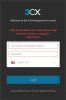
 

Attachments

  • 3cx-login.jpg
    3cx-login.jpg
    18.3 KB · Views: 44
Hi,
May be your ip is blacklisted perhaps in 3Cx global blacklist , how many tries do you have before having the same answer as your screencopy?

Did you try from networks with different public ip ? or on same LAN?
 
I would try and access it over the data connection (i.e. not WiFi) of a cell / mobile phone to see if I get the same.

However, for such a small deployment you could just blow the install away and start again.
 
It is probably that you have enabled MGMT console restriction by IP and have not included any whitelisted IP. Your best bet it to get on the host machine and access the browser there.
 
  • Like
Reactions: JohnS_3CX
did you try from external IPs also?
 
I have tried from different locations, means different public IPs. Tried on data connection too. It gives me this error on 1st attempt at every new IP.
I haven't enabled IP restriction, I have other installations too, so, fairly sure about it.
It is used by client for now, so, not able to start over. I had another with same issue and I did start over on it. They both started doing same thing around same time. Something's fishy, maybe due to auto update and I couldn't grasp possible reason so far.
Thanks for ideas though. Keep it up.
 
Are you using the global administrator credentials used when setting up the system or are you trying to log in as an extension that has admin rights?
 
if you are REALLY sure about your user/password, try

open ssh terminal:

ssh 'your-username' @ 'your-server-ip' -L 5001:localhost:5001
Then open webpage,
Type https://localhost:5001

login and go to blacklisted ip and allow your whole subnet.

Exemple:

Specify an IP or range of IP addresses and configure appropriate action. Click here for more inforrmation. : Add Range of IP

Network address (Network ID)192.168.0.0

Subnet Mask : /24 (or 192.168.0.0/16 to allow all in range 192.168.0.0-255.255)

Action : Allow

Desc: Local-Lan

As soon as youre done close the terminal.
YOU DONT WANT TO BLACKLIST the localhost! lol

Try this and tell me if it help!
 
  • Like
Reactions: rrtechgrpllc
I am using global administrator. The PBX is on Google cloud, I tried to ssh but keep getting authentication type not supported, server sent public key error. Is there a way around it?
 
Yeah sure. Log in to your Google cloud console management go to your instance and open the ssh terminal.

Type these command:

sudo su
sed -ie 's/#Port/Port/g' /etc/ssh/sshd_config
sed -ie 's/#PermitRootLogin/PermitRootLogin/g' /etc/ssh/sshd_config
sed -ie 's/#AuthorizedKeysFile/AuthorizedKeysFile/g' /etc/ssh/sshd_config

exit #(return back to user [Non-root])

#Generate a RSA key with PuTTYgen and type this

echo ssh-rsa blablayourkey >> ~/.ssh/authorized_keys

#Then

systemctl restart ssh

To create a localhost with putty follow this guide:
https://www.skyverge.com/blog/how-to-set-up-an-ssh-tunnel-with-putty/

There you go!
 
Hi, sorry for late reply, I am following all the instructions, replacing blalayourkey and following the linked page, adding sudo sytemctl restart ssh..all goes fine on console.. but keep getting error when trying to connect with putty, as soon as I enter username and enter.. I get a popup, "No supported authentication methods available(server sent:publickey)..What m i missing?

Thanks a lot for ur help
 
Hi @atmomin

Google has a guide explaining to you how to do this, the machine does not allow SSH at the moment that is why you are being denied. You can also connect to your Google machine via the Google Cloud Console without needing putty. Just go to your VM instances and there is an SSH button that allows direct access
 
Status
Not open for further replies.

Latest Posts

Forum statistics

Threads
111,934
Messages
589,821
Members
164,813
Latest member
divdigital