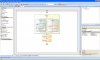
In this simple callflow, a user input control (InpCmp) is used to get a number from the user. The value of this control is passed to a webservice Interaction control (WS). Once the webservice is called, a prompt playback control is played (prompt 2). The value of the webservice (WS) is assigned to a variable (websrv) through a variable assignment component. At this point the callflow crashes and the last prompt (prompt 3) is not played.
Upon debugging I can see that the webservice returns the correct value in WS.Result, however when I try using this result by assigning it into a variable, the script crashes and I get "error.semantic.ecmascript" in project$.CurrentErrorName$
Here's the callflow:
<?xml version="1.0" encoding="utf-8"?>
<File>
<Version>1.0</Version>
<Variables>
<ArrayOfVariable xmlns:xsi="http://www.w3.org/2001/XMLSchema-instance" xmlns:xsd="http://www.w3.org/2001/XMLSchema">
<Variable>
<Name>websrv</Name>
<InitialValue>0</InitialValue>
<ShowScopeProperty>false</ShowScopeProperty>
<DebuggerVisible>true</DebuggerVisible>
</Variable>
</ArrayOfVariable>
</Variables>
<Flows>
<MainFlow>
<ns0:MainFlow x:Name="Main" DebugModeActive="False" Description="Callflow execution path." xmlns:x="http://schemas.microsoft.com/winfx/2006/xaml" xmlns:ns0="clr-namespace:Innovatip.VAD.Classes.Components;Assembly=3CX Voice Application Designer, Version=1.0.0.15, Culture=neutral, PublicKeyToken=7cb95a1a133e706e">
<ns0:UserInputComponent IsValidDigit_9="True" MaxRetryCount="3" IsValidDigit_1="True" IsValidDigit_Pound="False" IsValidDigit_6="True" DebugModeActive="False" InterDigitTimeout="3" IsValidDigit_4="True" IsValidDigit_3="True" Ma

igits="15" MinDigits="3" InitialPromptList="<?xml version="1.0"?>&#
;
<ArrayOfPrompt xmlns:xsi="http://www.w3.org/2001/XMLSchema-instance" xmlns:xsd="http://www.w3.org/2001/XMLSchema">&#
;
 <Prompt xsi:type="AudioFilePrompt">&#
;
 <Name>AudioFilePrompt2</Name>&#
;
 <AudioFileName>welcome.wav</AudioFileName>&#
;
 </Prompt>&#
;
</ArrayOfPrompt>" IsValidDigit_Star="False" InvalidDigitPromptList="<?xml version="1.0"?>&#
;
<ArrayOfPromptCollection xmlns:xsi="http://www.w3.org/2001/XMLSchema-instance" xmlns:xsd="http://www.w3.org/2001/XMLSchema">&#
;
 <PromptCollection>&#
;
 <PromptList>&lt;?xml version="1.0"?&gt;&#
;
&lt;ArrayOfPrompt xmlns:xsi="http://www.w3.org/2001/XMLSchema-instance" xmlns:xsd="http://www.w3.org/2001/XMLSchema"&gt;&#
;
 &lt;Prompt xsi:type="AudioFilePrompt"&gt;&#
;
 &lt;Name&gt;AudioFilePrompt1&lt;/Name&gt;&#
;
 &lt;AudioFileName&gt;tryagain.wav&lt;/AudioFileName&gt;&#
;
 &lt;/Prompt&gt;&#
;
&lt;/ArrayOfPrompt&gt;</PromptList>&#
;
 <MinTryCount>1</MinTryCount>&#
;
 <Prompts>&#
;
 <Prompt xsi:type="AudioFilePrompt">&#
;
 <Name>AudioFilePrompt1</Name>&#
;
 <AudioFileName>tryagain.wav</AudioFileName>&#
;
 </Prompt>&#
;
 </Prompts>&#
;
 </PromptCollection>&#
;
</ArrayOfPromptCollection>" IsValidDigit_7="True" FirstDigitTimeout="5" IsValidDigit_5="True" IsValidDigit_8="True" x:Name="InpCmp" IsValidDigit_0="True" Grammar="" SubsequentPromptList="<?xml version="1.0"?>&#
;
<ArrayOfPromptCollection xmlns:xsi="http://www.w3.org/2001/XMLSchema-instance" xmlns:xsd="http://www.w3.org/2001/XMLSchema" /> " AllowBargeIn="True" FinalDigitTimeout="2" TimeoutPromptList="<?xml version="1.0"?>&#
;
<ArrayOfPromptCollection xmlns:xsi="http://www.w3.org/2001/XMLSchema-instance" xmlns:xsd="http://www.w3.org/2001/XMLSchema" /> " StopDigit="DigitPound" IsValidDigit_2="True">
<ns0:ComponentBranch x:Name="componentBranch1" DisplayedText="Valid Input" Description="Execution path when the specified branch is activated." DebugModeActive="False">
<ns0:WebServicesInteractionComponent x:Name="WS" WebServiceName="WebSrvc1" DebugModeActive="False" URI="http://srv1.internal/sampleWS/service.asmx" ParameterList="<?xml version="1.0"?>&#
;
<ArrayOfParameter xmlns:xsi="http://www.w3.org/2001/XMLSchema-instance" xmlns:xsd="http://www.w3.org/2001/XMLSchema">&#
;
 <Parameter>&#
;
 <Name>username</Name>&#
;
 <Value>"usr1"</Value>&#
;
 </Parameter>&#
;
 <Parameter>&#
;
 <Name>password</Name>&#
;
 <Value>"ivr"</Value>&#
;
 </Parameter>&#
;
 <Parameter>&#
;
 <Name>data</Name>&#
;
 <Value>InpCmp.Result</Value>&#
;
 </Parameter>&#
;
</ArrayOfParameter>" Timeout="30" />
</ns0:ComponentBranch>
<ns0:ComponentBranch x:Name="componentBranch2" DisplayedText="Invalid Input" Description="Execution path when the specified branch is activated." DebugModeActive="False">
<ns0

romptPlaybackComponent x:Name="prompt1" PromptList="<?xml version="1.0"?>&#
;
<ArrayOfPrompt xmlns:xsi="http://www.w3.org/2001/XMLSchema-instance" xmlns:xsd="http://www.w3.org/2001/XMLSchema">&#
;
 <Prompt xsi:type="AudioFilePrompt">&#
;
 <Name>AudioFilePrompt1</Name>&#
;
 <AudioFileName>wrong.wav</AudioFileName>&#
;
 </Prompt>&#
;
</ArrayOfPrompt>" AllowBargeIn="True" DebugModeActive="False" />
</ns0:ComponentBranch>
</ns0:UserInputComponent>
<ns0
romptPlaybackComponent x:Name="prompt2" PromptList="<?xml version="1.0"?>&#
;
<ArrayOfPrompt xmlns:xsi="http://www.w3.org/2001/XMLSchema-instance" xmlns:xsd="http://www.w3.org/2001/XMLSchema">&#
;
 <Prompt xsi:type="AudioFilePrompt">&#
;
 <Name>AudioFilePrompt1</Name>&#
;
 <AudioFileName>five.wav</AudioFileName>&#
;
 </Prompt>&#
;
</ArrayOfPrompt>" AllowBargeIn="True" DebugModeActive="False" />
<ns0:VariableAssignmentComponent Expression="WS.Result" VariableName="callflow$.websrv" x:Name="variableAssignmentComponent1" DebugModeActive="False" />
<ns0
romptPlaybackComponent x:Name="prompt3" PromptList="<?xml version="1.0"?>&#
;
<ArrayOfPrompt xmlns:xsi="http://www.w3.org/2001/XMLSchema-instance" xmlns:xsd="http://www.w3.org/2001/XMLSchema">&#
;
 <Prompt xsi:type="AudioFilePrompt">&#
;
 <Name>AudioFilePrompt1</Name>&#
;
 <AudioFileName>five.wav</AudioFileName>&#
;
 </Prompt>&#
;
</ArrayOfPrompt>" AllowBargeIn="True" DebugModeActive="False" />
</ns0:MainFlow>
</MainFlow>
<ErrorHandlerFlow>
<ns0:ErrorHandlerFlow x:Name="Main" DebugModeActive="False" Description="Execution path when an error ocurrs." xmlns:x="http://schemas.microsoft.com/winfx/2006/xaml" xmlns:ns0="clr-namespace:Innovatip.VAD.Classes.Components;Assembly=3CX Voice Application Designer, Version=1.0.0.15, Culture=neutral, PublicKeyToken=7cb95a1a133e706e">
<ns0:ErrorHandlerContainer x:Name="errorHandlerContainer1" DebugModeActive="False" />
</ns0:ErrorHandlerFlow>
</ErrorHandlerFlow>
<DisconnectHandlerFlow>
<ns0

isconnectHandlerFlow x:Name="Main" DebugModeActive="False" Description="Execution path since the call gets disconnected." xmlns:x="http://schemas.microsoft.com/winfx/2006/xaml" xmlns:ns0="clr-namespace:Innovatip.VAD.Classes.Components;Assembly=3CX Voice Application Designer, Version=1.0.0.15, Culture=neutral, PublicKeyToken=7cb95a1a133e706e" />
</DisconnectHandlerFlow>
</Flows>
</File>
Any help appreciated
Len