WebClient 3cx Chrome Extension issue with multiple monitors

Status
Not open for further replies.

simplyhandled

Customer
Joined
May 20, 2020
Messages
11
Reaction score
0
Hello everyone,

I have an issue on windows machines only, where if you dock your laptop at the office with multiple monitors, then take your laptop and go home and try to work, the 3cx plugin does not move to a screen you have in that current setup, even if you attach multiple monitors back at home. If you right click and reload extension it does not reload on a screen you have. Is it possible to force the extension to reload on a screen that you currently have hooked up when you right click and reload?

Rebooting with multiple monitors has the same result, rebooting with just the laptop fixes the issue or removing the chrome extension and re adding.
 
Hi,

Can you provide some steps to replicate this?

I tried a few combinations with a laptop and 2 external screens but the window seems to be ok.

In my test, the plugin was on external screens only, and when removing them the plugin returns to the laptop main screen
 
@JohnS_3CX User is at work on a docking station with 2 monitors, unhooks from dock and goes home. Hooks 2 different monitors to their laptop to work like at the office. Windows / Chrome / or the 3cx Plugin. "Not sure which" does not realize that these are different monitors and wants to load the 3cx Plugin on the screens from the office which no longer exist. This is repeatable with all agents going between the building and home. Sometimes when you do not have an external at your house and open 3cx it will go off screen as well. That scenario is random and not repeatable. My thoughts were when you right click and reload extension just make it default back to the screen chrome is actually on if thats possible. This would be the simplest fix.
 
If you hit the Windows 10 Task View button, do you perhaps have multiple virtual desktops? (not talking about physical screens)

In this case you can drag app windows from below and drop them on your desktop of choice.

1594977248951.png

1594977353361.png

1594977706189.png
 
@JohnS_3CX I had the reps check this and they are only running 1 desktop.
 
When the window is lost, if you hit the Task View button does it appear there at least in the task view surface?
 
And is it possible to move it from there to somewhere visible on your desktop?
 
I've had calls for apps that do this at one of my previous jobs.

sometimes (most of the time) windows will "think" there are other monitors connected even if there isn't.

The best cheat for this is to hold shift, then right click the 3cx phone icon on the task bar, click "move" hit one of the arrow keys at least once and then move your mouse left to right and you should see the app show up :).

This is less a "3cx" issue, more of a "in Microsoft's infinite wisdom" issue :)
 
@FridayIT @JohnS_3CX This is correct, seems to be a windows issue, All of the Macs we have work just fine. It moves 3cx to a legitimate monitor when you move physical spaces. My thoughts though instead of me having to explain this cheat to non-techies, incorporate something in the 3cx plugin code to auto reload on chromes screen "if this is even possible". if you right click and hit reload extension"
 
@JohnS_3CX I have a recording of this happening, please let me know how I can get it to you.
 
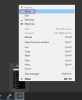
@simplyhandled you can easily move the window into the current view by mouse over on the task bar icon, and right clicking on the thumbnail view and clicking on Move (see attached screenshot). Then you can move it with the arrow keys.

Once you start moving it with the arrows, you can then move your mouse, and it will automatically bring it to the mouse pointers location.

1595841626385.png
 
The easiest way is simple "Alt+TAB" to the window of the extension, then either hold WINDOW and click left/right a couple of times to lock it to a new screen, or after selecting it hit ALT+SPACE, Press "M", tap left once and the move the mouse to your screen and it will follow the mouse cursor. It's the same advice as above but quicker =)
 
  • Like
Reactions: Evolute IT
Status
Not open for further replies.

Forum statistics

Threads
112,349
Messages
592,026
Members
165,512
Latest member
gmacinit