WebClient

Status
Not open for further replies.

Heath

Customer
Advanced Certified
Joined
Aug 12, 2017
Messages
287
Reaction score
3
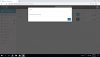
I am having issues with The WebClient.. When trying to place Call getting an error 'Requested Device Not Found'. Now when there is an incoming call, the Webclient rings, but can't answer it. Get the same error message when I click answer... Now I have 2 PBX hosted remote at 2 different locations, and getting this error on both and on all ext.
 

Attachments

  • 3cx error3.jpg
    3cx error3.jpg
    74.3 KB · Views: 56
Not sure but from your screen shot it looks like the extension is in DND. I'd probably try signing out and then signing back in.
 
Looking at the screen, you are trying to use the webclient phone,

Have you enabled the option - settings - General - Enable WebRTC softphone in Web Client and associated features (WordPress Plugin and Conference Dial-In integrations)
 
  • Like
Reactions: JohnS_3CX
I went into setting and it’s enabled. This is happening on ALL extensions and on both PBX at 2 different locations.
 
@Heath I receive the same error if I try to use the WebClient while my microphone is disabled.

Is the mic functional in windows?
 
Yes. It’s the same mic used. Interesting that it will work with the windows app. But not through the web.
 
@Heath Based on the screenshot you provided it seems that the speakers might be disabled, see10302

This would also cause that same prompt as a disabled microphone.
 
  • Like
Reactions: JohnS_3CX
Status
Not open for further replies.

Forum statistics

Threads
111,921
Messages
589,746
Members
164,796
Latest member
Dame24