- Joined
- Dec 16, 2021
- Messages
- 2
- Reaction score
- 0
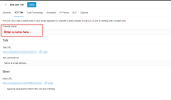
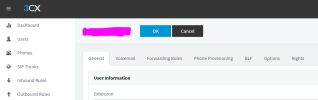
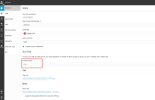
I can't enable web conference / Click2Meet / 3CX Talk for new or existing users. The setting is not located on Administrative Webclient > Users > (Extension ###) > General.
18.0 Update 7 (Build 312)
Professional
Self-hosted through a reseller
SSO with Google
New extensions have web conference disabled, BUT if an existing extension with web conference enabled is copied, the new extension allows web conference.
How do I turn web conference on for new users by default? Am I missing something here?
18.0 Update 7 (Build 312)
Professional
Self-hosted through a reseller
SSO with Google
New extensions have web conference disabled, BUT if an existing extension with web conference enabled is copied, the new extension allows web conference.
How do I turn web conference on for new users by default? Am I missing something here?