WebMeeting dial in

Status
Not open for further replies.

Juan Marriott

Silver Partner
Advanced Certified
Joined
Oct 24, 2017
Messages
105
Reaction score
40
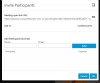
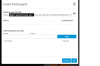
Hello Guys, Am I missing something? I think dial-in is not working, When I dial in(in a webmeeting), I get the hold music, like when you are the only one in an audio conference; and when another user dials in the same ID, the audio conference stablishes, between them but not with the webmeeting..

I know 3CX is working hard on webmeetings, I have been testing and see mayor improvements!!


3cx1.png3cx2.png
 

Attachments

  • 1586996680904.png
    1586996680904.png
    42.4 KB · Views: 1
  • 1586996935504.png
    1586996935504.png
    48.9 KB · Views: 2
Last edited:
I Think Your Firewall blocks the RTP Stream between your PBX an the Webmeeting servers.
Withelist them. YOu can try it by FQDN mcu.3cx.net, but in my case this has not been enough!
I figured out the FQDNs of some more MCU Servers by try. (you can see it, joining a Webmeeting, entering "Settings" under "info")
 
If your PBX cannot talk to the MCU (firewalled) then the Webmeeting bridge cannot join the call.

This means anyone sitting in the dial in lobby will be stuck there forever because they cannot merge.

Disable your firewall completely and test again to see how it should work.
 
I Think Your Firewall blocks the RTP Stream between your PBX an the Webmeeting servers.
Withelist them. YOu can try it by FQDN mcu.3cx.net, but in my case this has not been enough!
I figured out the FQDNs of some more MCU Servers by try. (you can see it, joining a Webmeeting, entering "Settings" under "info")
Yes, you were right. I dont manage the firewall so I had to work with someone else, but everything is working now. great things these forums!!!
 
Status
Not open for further replies.

Members Online Now

Forum statistics

Threads
111,835
Messages
589,291
Members
164,668
Latest member
Infinity Network