Solved WebMeeting Not Available

Status
Not open for further replies.

kseba77

Premier Customer
Joined
Feb 24, 2020
Messages
85
Reaction score
16
After upgrading to v18 I am getting "WebMeeting Not Available" whenever any users clicks on Meet in the portal.
Was I supposed to do something after the update to reenable this functionality?
Thank You
 
Posted this already under video conferencing but not getting any traction.
I have an issue where after upgrading from v16 to v18 we have lost conferencing capabilities. When end users click on Meet all they get is "WebMeeting Not Available"
We have enterprise license with 250 meeting seats and the portal reflects that. I All services are running. Rechecked the firewall, no issues found.
Hosting on Azure. Not sure what might be wrong and where else to look.

The WebMeeting.log contains the following entries every time someone clicks meet:
2021-12-20 23:19:12.7693|INFO|WebMeetingBridge.WmController|HTTP request: GET xxx.xx.3cx.us/meet/dnptLrCILvwL7875XQS1EZZ5 embed=true
2021-12-20 23:19:12.7693|ERROR|WebMeetingBridge.JoinController|System.NullReferenceException: Object reference not set to an instance of an object.
at WebMeetingBridge.JoinController.GetAsync(String userAgentRaw, String meetingKey, String title, Boolean embed) Object reference not set to an instance of an object. at WebMeetingBridge.JoinController.GetAsync(String userAgentRaw, String meetingKey, String title, Boolean embed)
2021-12-20 23:19:12.7693|DEBUG|McuRouter.PbxParametersTable|Get param WEBMEETING_INDEX not found
 
Last edited:
Hi!

The change that occurred from V16 to V18 is that now, all participants in order to join, need to be able to communicate with your 3CX system, and from there they get redirected to the MCU, through which they will exchange encrypted audio/video/text.

The error seems to imply 2 things, some error with the WM Bridge and an error reading a parameter.

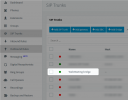
Under SIP Trunks, do you see the WM Bridge green?
1640074065908.png


If you go to Settings --> Parameters and search for "WEBMEETING_INDEX", does a parameter come up?
If yes, can you copy-paste the content of it here?
 
Hi!

The change that occurred from V16 to V18 is that now, all participants in order to join, need to be able to communicate with your 3CX system, and from there they get redirected to the MCU, through which they will exchange encrypted audio/video/text.

The error seems to imply 2 things, some error with the WM Bridge and an error reading a parameter.

Under SIP Trunks, do you see the WM Bridge green?
View attachment 26691


If you go to Settings --> Parameters and search for "WEBMEETING_INDEX", does a parameter come up?
If yes, can you copy-paste the content of it here?
So yes the sip trunk for wm Bridge is green but the webmeeting_index parameter is not there.
 
So yes the sip trunk for wm Bridge is green but the webmeeting_index parameter is not there.
Just to double-confirm, could you please go to the Dashboard in your Management Console and tell me what you see as "Version" in the "Information" section that is on the right of the screen?
 
Just to double-confirm, could you please go to the Dashboard in your Management Console and tell me what you see as "Version" in the "Information" section that is on the right of the screen?
I see 18.0 update 2 (Build 307)
 
I see 18.0 update 2 (Build 307)
I usually wouldn't suggest this, and for anyone else reading this, I wouldn't suggest doing this, but try this:
  1. Take a Full Backup of your System
  2. Go to Settings --> Parameters
  3. Press "Add" and in the name put "WEBMEETING_INDEX" (without quotes)
  4. In the "Value" section put this:
    Code:
    <!DOCTYPE html><html lang="en">
        <head>
            <base href="https://wmr-cdn.3cx.net/client/12.0.2.30226/">
            <meta charset="utf-8">
            <meta name="viewport" content="width=device-width,user-scalable=no,initial-scale=1,minimum-scale=1,maximum-scale=1">
            <meta name="apple-itunes-app" content="app-id=1039756959, app-argument={{appurl}}">
            <meta name="webmeeting-data" content="{{encodedwmdata}}">
            <title>{{title}}</title>
            <link rel="icon" type="image/x-icon" href="/favicon.ico">
            <link rel='stylesheet' href='global.css'>
            <script src="https://www.youtube.com/iframe_api"></script>
            <script src="lib/pdfjs/pdf.min.js"></script>
            <script src="lib/progressbarjs/progressbar.min.js"></script>
            <script src="lib/flowjs/flow.min.js"></script>
            <script src="lib/spark-md5/spark-md5.min.js"></script>
            <script src='wmclient.js'></script>
            <script defer src='bundle_component_main.js'></script>
        </head>
        <body>
        </body>
    </html>
  5. Log our of your WebClient, then back in and try again.

If this doesn't work, then the next thing you should try is to schedule a downtime, take a new Full Backup, uninstall 3CX, then re-install and restore your backup.
 
  • Like
Reactions: Evolute IT
OK so this did not help but the WebMeeting.log log file still has the same message about missing WEBMEETING_INDEX parameter. I am assuming I should probably restart some services for this change to be read? Also just noticed you guys released an update. I will apply it tonight and see it that helps.
Your last result option of reinstalling also does not sound too bad as I am going to be switching hosting accounts and will have to do exactly what you described anyway.
I will keep you updated tomorrow and let you know what happens after services are restarted.
 
Last edited:
  • Like
Reactions: NickD_3CX
the Gateway service is in charge of populating this value/parameter
 
Ok so just to update. After restarting the gateway service all is back to normal and the Meet options works again. Thank You
 
Status
Not open for further replies.

Forum statistics

Threads
111,973
Messages
590,076
Members
164,895
Latest member
jasonkkrause