Solved Webmeeting with .my3cx.de domain

Status
Not open for further replies.

adminwin

Free User
Joined
Dec 8, 2020
Messages
5
Reaction score
0
Greetings everyone,

i hosted my pbc at hetzner (german cloud service provider) and choose a xyz.my3cx.de fqdn.
Everytime i try to fix the problem with "Webmeeting Synchronization" it says. The pbx cant connect to xyz.my3cx.de.
I read in the forum that i need a signed certificate, but i cant register a certificate for my3cx.de fqdn?
Do i have to purchase a domain and reinstall the whole thing, because i wanted to install it on my own machine and not the cloud?

Thanks in advance.

DS
 
Hi,

If you are using a 3CX FQDN (not a custom one of your own) then the certificate is provided by us automatically. You can confirm this by visiting your webclient or management console and checking the certificate in your browser. I don't think this is the reason you have a problem.

The most likely problem is with your firewall. Please ensure that your firewall is correctly configured by reading this document here (especially for Webmeeting): https://www.3cx.com/user-manual/video-conferencing/troubleshoot/

And also this one here (for the whole PBX): https://www.3cx.com/docs/ports/
 
  • Like
Reactions: adminwin
Hello John, thanks for the fast reply.
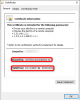
If i go on the the url xyz.my3cx.de i get a certificate warning.

i got also this warning after the installation.

Warning!
Temporary self-signed SSL certificate created. You can now complete the 3CX installation setup. Periodically, 3CX will automatically launch a background certificate request process to get your certificates from the Certificate Authority. When the signed certificates are downloaded, the admin will be notified via email and the self-signed certificates will be replaced.

Maybe i did something wrong?
The Firewall check inside the 3cx management shows no errors.
 
This means that during the installation it was not possible to generate certificates automatically, and the system will try again later. If the system was successful it would send you an email.

Also, like i said before, check your certificates using your browser.
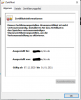
Are they valid and signed by Let's Encrypt like my example below?
1607423629857.png

If not then we can address this and then try again
 
No, its not validated. So i have to wait? no probs :)
 

Attachments

  • certificate.PNG
    certificate.PNG
    17.5 KB · Views: 2
Ok this is definitely self signed. Are you switching your PBX off at night or does it run 24/7 ?
 
I installed it ~1,5 hours ago. i can turn it off if its needed. no configuration so far.
 
Leave the PBX running normally, and it will try to update its certificates automatically late at night around 02:00.

Tomorrow you should find them already updated. Let us know how it goes
 
Good Morning, the certificate is now correct.
Thanks a lot.

I can invite people to my meetings, but on my client i cant see any videos. Firewall problems?

Greetings
DS
 
best to open a new topic to have the topics not mixed up
 
Status
Not open for further replies.

Forum statistics

Threads
111,973
Messages
590,078
Members
164,896
Latest member
sameage