Website freezes after update Live Chat

Status
Not open for further replies.

Ferdi

Forum User
Joined
Jul 17, 2020
Messages
11
Reaction score
0
Hi,

I just updated WP-Live Chat by 3CX to version 9.0.2. The chat wil load after 2 seconds.
When I open the website (homepage) the website load fine but after 2 seconds the website freezes. I deactivate the Live Chat plugin and the website works normal.

What to do to get Live Chat work?

Greetings,
Ferdi
 
Hi there,

Please try updating to 9.0.3 and let us know if the issue persists.
 
Just updated to version 9.0.3 but still the same problem.
 
Could you try uninstalling and re-installing the plugin? If the issue persists, please open the F12 developer console on the page that freezes, reproduce the problem and copy paste the logs here so we can troubleshoot this
 
Hi Leonidas,

Thank you for your reply. I re-installed it and that did the trick. Thank you!
 
Hi,

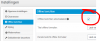
Live chat isn't working properly. When I turn on the "Online messages" the admin page just keeps loading and nothing happening. When I leave the "Online messaging" OFF and chatusers are online, visitors can't open the chatroom. You can click the button on the website but nothing happen.

What to do?

Greetings,
Ferdi
 

Attachments

  • Chat_offlineberichten.PNG
    Chat_offlineberichten.PNG
    16.3 KB · Views: 6
  • Chat_offlineberichten2.PNG
    Chat_offlineberichten2.PNG
    51.1 KB · Views: 5
Hi,

Thank you for reporting this. We'll try reproducing it. If we're able, we'll try fixing it for the next minor release.
 
Hello,

Just installed version 9.0.8 but still not working.
Other problem is that the Chat icon does nothing (seems it's greyed out) on the website, even when we are online(!).

Would you be so kind to solve these problems as soon as possible? We need the Chat option on our website and its now offline for 2 weeks.

Greetings,
Ferdi
 

Attachments

  • Chat_offlineberichten3.PNG
    Chat_offlineberichten3.PNG
    5 KB · Views: 1
Hi, could you please provide a URL to your website?
 
Also please try today's released version. We've made a fix specifically for this.
Please let us know if the issue is resolved.
 
Hi,

Installed version 9.0.10 and didn't help. URL: https://liemerskunstwerk.nl/
The problems persists:
- Offline messages: I want tot turn it ON but page keeps loading (bottum left is says: Uploading (0%))
- The Chat Icon on the website is greyed out (doens't work).

Greetings,
Ferdi
 
Hello Leonidas,

Just installed version 9.0.12 and updating (turn on the offline messages) is working.
The Chat icon on our website (https://liemerskunstwerk.nl) is still greyed out, so the Chat service isn't working.

Greetings,
Ferdi
 
Hi Ferdi,
we have released an update ( version 9.0.13 ) which contains a fix related to yours site issue. Please update your installation and let us know if the problem solved.
 
Hi Leonidas,

Thanks for your reply!

I installed 9.0.13 but no changes :(.
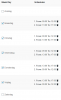
Availability times are on (see attachment):
  • When a colleague is online Chat service doesn't work (still greyed out)
  • When a colleague is offline Chat service (offline modus) doesn't work (still greyed out)
I looking forward to test version 9.0.14 ;-)

Greetings,
Ferdi
 

Attachments

  • Chat_offlineberichten4.PNG
    Chat_offlineberichten4.PNG
    17.1 KB · Views: 2
Hi Ferdi,
we didn't succeed to reproduce your issue so it will be very helpful if you can export plugin's settings from tools section and provide them to us. Please be cautious, don't upload your settings file here , send it to me with private message.
 
Hi VP_3CX,

And how can I send you a private message? I could open an conversation to you but then I can't attach a file.

Greetings,
Ferdi
 
Hi Ferdi,

You'll need to upload the file to a 3'rd party file upload website or use Google Drive. Once you have a shareable link, simply start a conversation with VP and send him the link.
 
Hi Leonidas,

Done! Thanks :)
 
Status
Not open for further replies.

Forum statistics

Threads
112,148
Messages
590,962
Members
165,168
Latest member
Stephan Eusebe