Solved Welcome Email not sending, 3cx 15.5.15502.6

Status
Not open for further replies.

thelearningowl

Customer
Joined
Mar 19, 2020
Messages
22
Reaction score
4
Hello there,

I am trying to set up a new extension via 3cx Phone for Windows but the system won't send any welcome mail to configure the extension. What can I do?
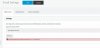
Furhtermore I get this error at the E-Mail settings. screenshot.JPG

I appreciate any help :)
 
  • Like
Reactions: orange2
Can you not use/try 365 or one of the other mail options in Settings>Mail?
 
well I tried but I cant change the type of email server its locked to 3CX Smtp server. Any ideas?
 
You should upgrade to V16 as soon as possible. V15 is EOL now.

Also note, that if you try to send a Welcome email to a mailbox that was not yet created, or does not exist, our SMTP will block you for while. The only solution is to use your own server but that requires a Pro License and above.

For now, you can go in the SMTP settings and press the test button to see if you receive a test email at least. If that fails too, then check that your public facing IP is correctly showing in the dashboard. If the IP is misconfigured, the check will also fail.
 
You should upgrade to V16 as soon as possible. V15 is EOL now.

Also note, that if you try to send a Welcome email to a mailbox that was not yet created, or does not exist, our SMTP will block you for while. The only solution is to use your own server but that requires a Pro License and above.

For now, you can go in the SMTP settings and press the test button to see if you receive a test email at least. If that fails too, then check that your public facing IP is correctly showing in the dashboard. If the IP is misconfigured, the check will also fail.

Upgraded to V16 and welcome email works fine
thanks for the help!
 
  • Like
Reactions: JohnS_3CX
Glad to hear!
 
Status
Not open for further replies.

Forum statistics

Threads
111,941
Messages
589,855
Members
164,832
Latest member
Boblatino