Welcome email not sending

Status
Not open for further replies.

Mike Langensiepen

Joined
Jun 21, 2017
Messages
10
Reaction score
0
Hi, I've just set up a trial of PBX Express. It passed all the tests including outgoing mail when setting up However, from the control panel, it's not sending the welcome emails and when I try the SMTP test, the button just blinks and gives no errors.

I've verified the email account is OK by sending from an existing machine.

Anyone got any ideas?

Thanks
 
Thanks for the reply. I did set it up using Google Cloud but during the setup process I also got the standard SMTP test reply:
SMTP Test OK - your PBX can send emails
Nevertheless I'll try it with a gmail account. Many thanks.
 
Grrrrrr. I set up on gmail as suggested (shouldn't be necessary as my smtp runs 587:TLS as well) and the SMTP test messages come through OK but I am still not receiving welcome emails. I have checked spam folders etc. Any ideas please? I feel like I am failing at the first hurdle.
 
Could it be that your receiving SMTP blocks the attachments? Have you checked that possibility?
 
I wish it were that simple but I have whitelisted the sending email address and also sent to outlook.com, gmail.com, our domains on different email servers etc. I have checked the webmail logs on our own email server (SmarterMail) and there is nothing to suggest that the welcome email is being blocked.
 
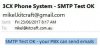
A change today though - trying the smtp test again, I get this message
The crdentials are definitely correct and I have re-entered them to make sure. The weblink provided gives no hint as to the issue
 
Re-entered everything and the tests are working OK again but still no welcome emails

smtp-test.JPG

Edit: I'm now using the same email account for sending as an extension that I'm trying to get a welcome email for. Still nothing coming through.

I've noticed that when I exit the email settings and then go back in, it does remove the :587 from smtp.gmail.com though
 
The port is auto removed because 587 is the default port when you enable SSL/TLS so it does not need to be present in the email settings.
If you choose a different port then the port will remain visible.
Have you enabled Allow less secure apps from the gmail settings as mentioned in the guide?
 
Have you tried using gmail as your smtp server and the recipient of the welcome email is an email address other than your domain? Add an extension that uses a gmail for example. Do attachments arrive then?
That will help you narrow down where the issue comes from.
 
We used Sendgrid in a separate VM for this and it works a treat.
 
I've used gmail and SmarterMail (our standard email server) for smtp outgoing. I've used gmail, SmarterMail, Outlook365 and other email addresses for incoming. NOTHING arrives in the inbox and I can find no evidence that 3CX has sent the welcome email.

We use SmarterMail extensively and I have never had a problem with incoming or outgoing emails on it. We use TLS/587 as well as plain 25 for outgoing and 995/SSL for POP (along with less secure 110) for incoming and I whitelisted the 3CX address in SmarterMail. There must be something fundamental I am missing as I can't see why this is such an issue.

I am completely at a loss!


Alex, our SmarterMail supports outbound authentication from any carrier but we have a legacy server that we use hmailserver on for when we need sending support for Office 2003 (which a few of my users are still on) - that company uses Office365 mailboxes and that requires TLS which Office2003 doesn't have. We are looking at Stunnel though which might be a simpler option for this..
 
OK I found the reason why. You have to go through the phone provisioning for each extension even though I don't select a hard phone. Once I do this, cancel the hard phone selection and then click OK, it then sends the welcome email.

Silly me for assuming that because an extension showed 3CX client under phone provisioning that it was active.

Many thanks for all the suggestions!
 
Status
Not open for further replies.

Forum statistics

Threads
111,864
Messages
589,460
Members
164,704
Latest member
cdl1