Welcome Email without Re-Provisioning Phone

Brian Buell

Silver Partner
Basic Certified
Joined
Aug 9, 2017
Messages
67
Reaction score
52
I understand the security requirements of v20 and Users resetting their password for Web Client Access.
I do not understand why that same process has to affect their desk phone.
One has nothing to do with the other and adds a significant amount of work for an unrelated function.

We need a way to:
  • Send 3CX Welcome Email to allow Users to JUST reset their Web Client Password
  • Separately, Reset Just Phone Credentials, requiring device re-provisioning.

Please, Please Please...
 
  • Like
Reactions: PhoneMan123
The user can use the "forgot password" link on the login page to reset their password.
 
The user can use the "forgot password" link on the login page to reset their password.
Thanks for your response...
Not without sending them the 3CX Welcome Email in the first place (thus affecting the phone) or providing each user the new FQDN. All labor intensive across potentially hundreds of users on multiple managed systems.
We just want options to separate User Creds from Device Cred.
 
Last edited:
We manage alot of 3cx installs and with the move to V20 this has been a real pain for us as well. We frequently have phones that loose connection and have to be rebooted or defaulted to reconnect. I'd love to have the options on what to reset back like in V18 or a way to not change the desk phone credentials.
Thanks!
 
I learned the hardware that a reset via mgmt console in v20 also did phone creds... after I changed from 5001 to 443 :D
 
You can reset the password without your phones password. Dont reset the extension, just the password.
 
You can reset the password without your phones password. Dont reset the extension, just the password.
and how do you do that?
 
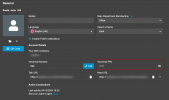
Go into the extension and press password reset. 1733319961069.png
 
thats not idea for a mass reset and i just tested and it resets phone password too
 
mass reset was never an option. why would you do that?
 
it was possible to mass resend welcome email in v18
 
That doesnt make sence in v20 anymore. The extensions password is allways a password the user must set. Not like in v18.

Again, for what do you need a mass reset?
 
Welcome email resend was handy for several reasons and scenarios

- Customer forgets urls or wants to download clients
- Customer requests all users be sent welcome email
- Migrating from v18 to 20 and changing the management port
 
  • Like
Reactions: Brian Buell
Except the last option you can do this with password reset. The last option you can use the extension reset. The phones needs to reprovisioned again any way because of the port change.
 
There is no password reset/extension reset. the reset button from the main extensions page and from within an extension do the same thing.

Yes, last point the phones needed to be provisioned again. However, I cant press reset until i've logged in to each phone and modified the provisioning port to the correct one otherwise i lose all phones by doing a reset. Unfortunately, the only way to send another RPS would be to remove/add the phone and thats more time consuming then logging in to the phones and changing prov port
 
Just logged in to ask exactly this question.

The welcome email in V18 was a read only event so it was idempotent. Password reset has side effects.

Our issue is that we want to send everyone their voicemail PIN (which should be called voicemail/hotdesk PIN). After upgrading from V18 to V20 the PIN length changes to from 4 to 6 so all the hotdesk PINs are regenerated!
 
Just logged in to ask exactly this question.

The welcome email in V18 was a read only event so it was idempotent. Password reset has side effects.

Our issue is that we want to send everyone their voicemail PIN (which should be called voicemail/hotdesk PIN). After upgrading from V18 to V20 the PIN length changes to from 4 to 6 so all the hotdesk PINs are regenerated!
The users can just log in to their web client and see their voicemail pin from there.

1733322807016.png

If they dont have their password, they can click on Forgot Password and his will only reset their web client password, not anything else.
 
The users can just log in to their web client and see their voicemail pin from there.

View attachment 45431

If they dont have their password, they can click on Forgot Password and his will only reset their web client password, not anything else.
Yes I know that, I should have mentioned it.

We have the 3CX webclient appear automatically at windows log in inside chrome-less browser window. We also use EntraID password based SSO to get the users password out of Entra (we manually copy it when creating extensions to both Entra and 3CX) so the users do not need to log in. We will further send them all emails before the upgrade work with screenshots and clear instructions.

Even so will still get 25 tickets from our 150 users, and we'll get people complaining that "our IT never works" and "why do we have to have these upgrades". Be much easier if we could email them the new PIN.
 
Welcome email resend was handy for several reasons
  • Add all extensions during initial install/setup, and only send the welcome email when everything is ready for them to log in
  • When we don't have an email address for everyone when creating extensions
 
  • Add all extensions during initial install/setup, and only send the welcome email when everything is ready for them to log in
  • When we don't have an email address for everyone when creating extensions
The user can login by himself and reset the password. You dont need to send any welcome mail.
 

Forum statistics

Threads
112,292
Messages
591,738
Members
165,416
Latest member
Graham Robertson