- Joined
- Dec 30, 2016
- Messages
- 83
- Reaction score
- 4
Hi everyone,
We're trying to setup a Welltech ATA172 Plus on 3CX V15 and I followed this guide, but I'm not able to see it listed as a phone after I complete the setup. When I log into the ATA itself, it shows the following in the Status Log:
Index Message
0 <2017-02-16 12:15>Stop searching Configured file!
1 <2017-02-16 12:15>Get file Fail!!!
2 <2017-02-16 12:15>HTTP Get file...
3 <2017-02-16 12:15>Get file Fail!!!
4 <2017-02-16 12:15>HTTP Get file...
5 <2017-02-16 12:15>Get file Fail!!!
6 <2017-02-16 12:15>HTTP Get file...
7 <2017-02-16 12:15>Boot reason : web_reboot
8 <2017-02-16 12:15>Get file Fail!!!
9 <2017-02-16 12:15>HTTP Get file...
10 <2017-02-16 12:15>Get file Fail!!!
11 <2017-02-16 12:15>HTTP Get file...
12 <2017-02-16 12:15>Server = [PBX IP], FileName = 0001A[MAC].dat
13 <2017-02-16 12:15>Get Time from SNTP server, Succeed!
I searched through the 3CX Forum and found this thread to manually create the .DAT file that the ATA is looking for, but that didn't help either..
I've opened a case with 3CX Support (pending a response), but I figured I'd reach out to the Community for insight.
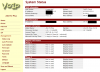
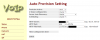
I've attached screenshots of the Status Page and Provisioning Page.
We're trying to setup a Welltech ATA172 Plus on 3CX V15 and I followed this guide, but I'm not able to see it listed as a phone after I complete the setup. When I log into the ATA itself, it shows the following in the Status Log:
Index Message
0 <2017-02-16 12:15>Stop searching Configured file!
1 <2017-02-16 12:15>Get file Fail!!!
2 <2017-02-16 12:15>HTTP Get file...
3 <2017-02-16 12:15>Get file Fail!!!
4 <2017-02-16 12:15>HTTP Get file...
5 <2017-02-16 12:15>Get file Fail!!!
6 <2017-02-16 12:15>HTTP Get file...
7 <2017-02-16 12:15>Boot reason : web_reboot
8 <2017-02-16 12:15>Get file Fail!!!
9 <2017-02-16 12:15>HTTP Get file...
10 <2017-02-16 12:15>Get file Fail!!!
11 <2017-02-16 12:15>HTTP Get file...
12 <2017-02-16 12:15>Server = [PBX IP], FileName = 0001A[MAC].dat
13 <2017-02-16 12:15>Get Time from SNTP server, Succeed!
I searched through the 3CX Forum and found this thread to manually create the .DAT file that the ATA is looking for, but that didn't help either..
I've opened a case with 3CX Support (pending a response), but I figured I'd reach out to the Community for insight.
I've attached screenshots of the Status Page and Provisioning Page.