When I dial a phone number use the 3CX APP ,why it display Not found?

Status
Not open for further replies.
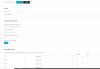
Now I set the rules like this . I have remove prefix of 9 ,is that correct?
11998
 
I dialled number 6266576046 , 3CX APP still display 'forbidden'

12000
 
Last edited by a moderator:
Have you allowed the required country codes - Settings - Security - Allowed Country Codes

Make sure 'Disable External Calls' is unticked under Options for the extension

Check the 3CX activity log to see what 3CX is doing and any responses back the sip provider
 
Have you allowed the required country codes - Settings - Security - Allowed Country Codes

Make sure 'Disable External Calls' is unticked under Options for the extension

Check the 3CX activity log to see what 3CX is doing and any responses back the sip provider
I have allowed the country code and the activity log said '403 forbidden' like this
 
Last edited by a moderator:
Enable back the E164 but just make a clean outbound rule, without any restriction..
 
Last edited by a moderator:
  • Like
Reactions: Evolute IT
I will try is now

The new error has nothing to do with E164 settings and outbound rules.

Not sure how to resolve the new issue, hopefully someone will help you - maybe worth creating a new thread for the forbidden error
 
Enable back the E164 but just make a clean outbound rule, without any restriction..
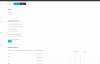
I mode a new rule without any restriction but 3CX still display 'forbidden'
12005
 
When you call, what does the voice say to you in the phone ? Prompt ?
 
The new error has nothing to do with E164 settings and outbound rules.

Not sure how to resolve the new issue, hopefully someone will help you - maybe worth creating a new thread for the forbidden error
thanks a lot
 
  • Like
Reactions: JohnS_3CX
  • Like
Reactions: Evolute IT
Is twillio making some restrictions on call destination? perhaps 403 come because destination is forbidden on provider side.

Have the case this morning with my provider, everything was allowed on PBX side but when i tried to call from France to netherlands destination was blocked by SIP provider for security reasons against hacking attempts. So i need to ask them to open destination to avoid 403
 
  • Like
Reactions: Evolute IT
Make sure to do this!

ACL on Twilio is really important. Make sure your IP is configured and all is linked together on Twilio.
Yes , I'm sure i had added those IPs
 
Last edited by a moderator:
As above, ensure your PBX public IP is in the access control list of Twilio.

It is also listed on our guide here: https://www.3cx.com/docs/twilio-elastic-sip-trunking/#h.nwjgvw1hnwua
As above, ensure your PBX public IP is in the access control list of Twilio.

It is also listed on our guide here: https://www.3cx.com/docs/twilio-elastic-sip-trunking/#h.nwjgvw1hnwua
Yes my PBX public IP is .
I'm sure it is in the ACL of Twilio


Can you help me ?
 
Last edited by a moderator:
Firstly ensure you have followed this 3CX-provided guide completely https://www.3cx.com/docs/twilio-elastic-sip-trunking

If you still have the issue after following the guide, you can also contact Twilio directly, since they are your provider they can help you troubleshoot why they they reject your call.

Do not post your private information on the forum, just use fake info for FQDN, IPs, DIDs for your protection.
 
Firstly ensure you have followed this 3CX-provided guide completely https://www.3cx.com/docs/twilio-elastic-sip-trunking

If you still have the issue after following the guide, you can also contact Twilio directly, since they are your provider they can help you troubleshoot why they they reject your call.

Do not post your private information on the forum, just use fake info for FQDN, IPs, DIDs for your protection.
Thank you very much !
 
Status
Not open for further replies.

Forum statistics

Threads
111,933
Messages
589,810
Members
164,808
Latest member
jsbjsb