- Joined
- Jul 18, 2019
- Messages
- 8
- Reaction score
- 0
Hi, I have 3 call centers, SG, MY, PH. My issue was when a client is calling locally (SG to SG), it doesn't show country code, but when the call is coming from other country it's showing the country code.
What I want to achieve is to always show the country code without the + sign, even if it's from a local number. So that it will be consistent in our CRM, to always check number with country code.
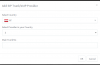
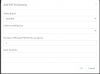
May I ask where I can set it? I would appreciate a screenshot and also what role can edit the setting, is it only admin role? I appreciate your support.
What I want to achieve is to always show the country code without the + sign, even if it's from a local number. So that it will be consistent in our CRM, to always check number with country code.
May I ask where I can set it? I would appreciate a screenshot and also what role can edit the setting, is it only admin role? I appreciate your support.