Solved Where is call queue in v18

Status
Not open for further replies.

jctec

Customer
Joined
Aug 14, 2021
Messages
5
Reaction score
1
Hi everyone,

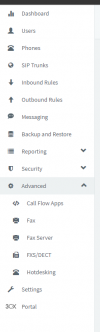
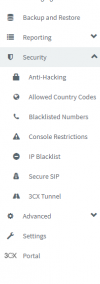
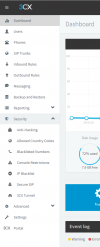
After updating to v18 the call queues button has dropped off and new ivr as well.

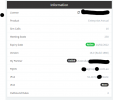
Maybe i am missing it but this is all i can see.
Any help would be amazing!!
1628981866705.png
1628981874903.png
1628981895776.png
1628981919371.png
 
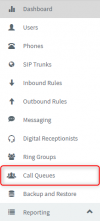
They should be on the left.

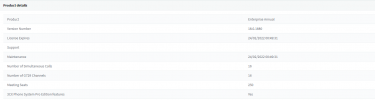
Do a Refresh License Information and also, do a Ctrl+Shift+R to refresh and clear cache.

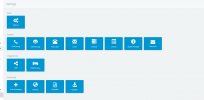
Also make sure you're using the main administrator account as it seems you're not (missing settings blocks.)
 
Hi @jctec,

As Frederick mentioned, the call queue tab should appear on the left hand side as per the image below:

1629096890598.png

If you've refreshed the license information but are unable to locate it, let me know.
 
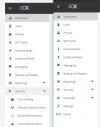
HEY, after reviewing what you have said nothing still shows up1629628975869.png1629628992024.png
 
please see below as i still can not find anything
Are you using the main administrator (big A upper-right) or an extension with admin rights?
 
  • Like
Reactions: VasilisV_3CX
I believe @Frederick Marcoux is correct. I escalated an extensions rights to allow Management Console access but unchecked the 'Phone System Administration' check box and was able to replicate what you're seeing:

1629705019706.png

Are you logging in using the username: admin (for example) or an extension number when logging in?
 
  • Like
Reactions: Evolute IT
Thankyou so much guys you have saved my life
 
  • Like
Reactions: Evolute IT
Glad to hear you'll live to fight another day @jctec ;) If you need any more information or assistance, feel free to open a new thread!
 
Status
Not open for further replies.

Forum statistics

Threads
111,974
Messages
590,081
Members
164,899
Latest member
mazet