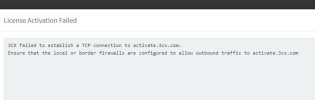
Errors like this usually indicate something interfering with the TCP connection between the PBX and our activation server.
Please make sure that any security software on the server or any inspection services on the firewall are completely disabled and check if this solves the issue.
You could also try bypassing the firewall completely so that the PBX server is directly connected to the internet.
The server should be able to make a connection with activate.3cx.com (TCP 443) without anything interfering/changing the connection.
The fact that a Linux install activates normally in the same environment indicates that the issue is with the Windows installation.
We have not had other reports for such issues from China.
What I would suggest is to try a fresh installation of Windows (using the latest ISO image from Microsoft) and before doing anything, install 3CX and see if it activates.