- Joined
- Sep 16, 2020
- Messages
- 7
- Reaction score
- 0
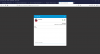
I've installed and configured the user, and copied and pasted the code on wordpress both in widget text section first and then using the individual page. The icon shows up, but nothing happens when you click on it? It doesn't open up. Below is the HTML generated code once I filled the form in.
Website is: https://www.hrlifelineconsultants.com
<call-us
style="position: fixed; bottom: 8px; right: 8px; z-index: 99999;--call-us-form-header-background:#007bc7;--call-us-header-text-color:#ffffff;--call-us-form-height:470px;--call-us-form-width:250px;"
phonesystem-url="https://hrlifelinellc.ga.3cx.us/"
party="consultant"
allow-call="true"
allow-video="true"
authentication="both"
invite-message= "Hello! How can I help you?"
operator-name="Support"
email-integration-url="[email protected]"
allow-soundnotifications="true"
enable-poweredby="false"
ignore-queueownership="false"
show-typing-indicator="true"
auto-focus="true"
enable-onmobile="true"
popout="true"
window-title="Contact Us"
show-operator-actual-name="false"
animation-style="none"
minimized="false"
minimized-style="bubble">
</call-us>
<script src="https://hrlifelinellc.ga.3cx.us/callus.js" charset="utf-8"></script>
Website is: https://www.hrlifelineconsultants.com
<call-us
style="position: fixed; bottom: 8px; right: 8px; z-index: 99999;--call-us-form-header-background:#007bc7;--call-us-header-text-color:#ffffff;--call-us-form-height:470px;--call-us-form-width:250px;"
phonesystem-url="https://hrlifelinellc.ga.3cx.us/"
party="consultant"
allow-call="true"
allow-video="true"
authentication="both"
invite-message= "Hello! How can I help you?"
operator-name="Support"
email-integration-url="[email protected]"
allow-soundnotifications="true"
enable-poweredby="false"
ignore-queueownership="false"
show-typing-indicator="true"
auto-focus="true"
enable-onmobile="true"
popout="true"
window-title="Contact Us"
show-operator-actual-name="false"
animation-style="none"
minimized="false"
minimized-style="bubble">
</call-us>
<script src="https://hrlifelinellc.ga.3cx.us/callus.js" charset="utf-8"></script>