- Joined
- Apr 6, 2017
- Messages
- 286
- Reaction score
- 16
Hi all,
I am having 3 problems in V15:
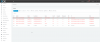
1) I have Yealink T21P E2 and Yealink T41P phones which I have just updated the firmware to the latest ones available from the website, which are T21P_E2-52.81.0.70 and T41-36.81.0.70. But now in the Phones section it is showing these phones as unsupported. Why hasn't 3CX got the latest firmware available for these? I thought that this would come under the "rigorously tested" term stated in the 3CX videos.
2) I have a Cisco SPA-112 and I am setting up one line for the fax machine and the other line for the alarm. I have set the fax machine extension under "Fax Extensions" in 3CX but it won't register because it is blocking register requests from WAN, which I can see is an option under a normal extension, which can be disabled, but there is no option to disable this is it's in the Fax Extensions section. Is this an oversight from the developers?
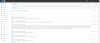
3) I can't seem to download updates, I just get the "Download has started, please wait" but then it just sits there until it eventually times out. Why?
I am having 3 problems in V15:
1) I have Yealink T21P E2 and Yealink T41P phones which I have just updated the firmware to the latest ones available from the website, which are T21P_E2-52.81.0.70 and T41-36.81.0.70. But now in the Phones section it is showing these phones as unsupported. Why hasn't 3CX got the latest firmware available for these? I thought that this would come under the "rigorously tested" term stated in the 3CX videos.
2) I have a Cisco SPA-112 and I am setting up one line for the fax machine and the other line for the alarm. I have set the fax machine extension under "Fax Extensions" in 3CX but it won't register because it is blocking register requests from WAN, which I can see is an option under a normal extension, which can be disabled, but there is no option to disable this is it's in the Fax Extensions section. Is this an oversight from the developers?
3) I can't seem to download updates, I just get the "Download has started, please wait" but then it just sits there until it eventually times out. Why?