Solved Yealink firmware upgrade issues

Status
Not open for further replies.

jrjohnson

Joined
Oct 4, 2016
Messages
36
Reaction score
2
Recently, a new firmware for Yealink (28.82.0.20) was released and is ready to deploy via the 3CX management console. I have put this new firmware out on a few test desk phones and it's causing issues with placing and picking up shared parking slots. I've been testing to see if I can find a resolution, but so far nothing.

I do notice though in the web console of the desk phone 'Features > Pickup & Park > Call Park', that the 'Call Park Mode' setting has changed. In the newer firmware, only 'FAC' is available to use. In the older firmware that still works, located in 'Features > Call Pickup > Call Park' that the 'Call Park Mode' is set by default to 'XSI'.

I'm currently running 15.5.3849.1 and 15.5.6354.2 is available for installation. Would upgrading resolve this issue or is there some other issue that I haven't remedied as of yet?
 
Hello @jrjohnson

Can you please let me know what Yealink phones you are using? My Yealinks T46G default setting is "Transfer".
I have checked another T46G and i see the same settings (i assume you have T46G because of the firmware version you are using)

2017-11-17_14h46_12.png

If you are not seeing the same settings try factory resetting a phone and try again.
 
I have the same problem with a T46G. I have SP2 and current new firmware and park is broken.

Do you see the same settings as jrjohnson in the phones web interface or are yours the same as the screenshot above?
 
Hello @jrjohnson

Can you please let me know what Yealink phones you are using? My Yealinks T46G default setting is "Transfer".
I have checked another T46G and i see the same settings (i assume you have T46G because of the firmware version you are using)

View attachment 6498

If you are not seeing the same settings try factory resetting a phone and try again.


Your screenshot doesn't exactly match up what I see for my phone. Are you sure that yours is the same firmware? And yes, mine is a T46G.

I've done a factory reset with no change seen. I've manually re-applied the firmware image with still no change.

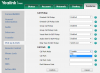
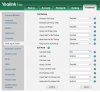
I've attached my 'Pick up & Park' screen for reference. Call park mode "FAC" is all I have available to me.
 

Attachments

  • PhoneIssue.JPG
    PhoneIssue.JPG
    68 KB · Views: 16
Can you also provide a screenshot from the status page as well? I want to see the hardware version of the phone if possible.
Yes we are running the same firmware 28.82.0.20
 
Can you also provide a screenshot from the status page as well? I want to see the hardware version of the phone if possible.
Yes we are running the same firmware 28.82.0.20
 

Attachments

  • PhoneStatus.JPG
    PhoneStatus.JPG
    14 KB · Views: 11
Hello @jrjohnson

Can you please provide us with the following so we can better troubleshoot your issue?
1. Reset phone
2. Access phones web interface
3. Navigate to Settings / Configuration
4. Export Configuration
5. Re-provision the phone to the PBX
6. Access the same menu
7. Export configuration
8. Send me the 2 files in a p.m. so we can take a look at them.

Please note that you will have to upload the files to a web sharing service and provide me with the download link.
 
I've been working with Yealink regarding this issue and I may have located the fix. It seems that I had to manually add an option to the provisioning templates that is not present by default.

features.call_park.park_mode=2
## It configures the call park mode. 0-XSI, 1-FAC, 2-Transfer

After adding this to the template, both the older and the newer firmware seem to work fine. I'll be upgrading the 3CX controller this weekend to version 15 SP2. I'll update this thread after I test to make sure that all works as it's supposed to.
 
I have passed this onto our IOT team of IP-Phone to check.
 
After contacting Yealink, the default value of this field should be in all V82 Firmwares Transfer.
However to ensure the setting, it will be added in the template.

In case you dont have this option at all in the GUI of the device, you must contact Yealink directly as this is nothing which can be controlled by 3CX.
 
Status
Not open for further replies.

Latest Posts

Forum statistics

Threads
111,880
Messages
589,533
Members
164,733
Latest member
HLISolutions