yealink - problems with autoprovisioning and valid certificate

Status
Not open for further replies.

ccampos82

Gold Partner
Intermediate Cert.
Joined
Jun 15, 2020
Messages
6
Reaction score
0
I have a problem, I have my own SSL certificate in my 3cx, at the moment of the autoprovisioning it did not load and when removing in the yealink options only valid certificates there the autoprovisioning works but it does not load the directory
 
Is your cert a supported one from Yealink phones?
 
Hi, my certificate is a wildcard, the yealink phone i am using is a T29G, how can i see if it is compatible?
 
Hi,
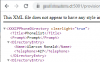
It is a Public certificate, and I am trying to download it by http and by https but it does not load on the phone, when trying to see it on the web, it is possible to see it by http and https in the browser

1593191018420.png

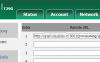
1593191067032.png
 
So I'm not actually sure what you are trying to do but that's not where you put the provisioning URL. And if you don't know which certificates the Yealink phones trust then perhaps you should just stick with the 3CX FQDN so it's all handled automatically for you?
 
I'm sorry, I was seeing two topics, so I saw on yealink if you accept the Geotrust certificate, which is who we bought the Public CA from
 
Status
Not open for further replies.

Latest Posts

Forum statistics

Threads
111,953
Messages
589,915
Members
164,850
Latest member
masvty