- Joined
- Jan 13, 2020
- Messages
- 4
- Reaction score
- 0
Hello,
I am experiencing an issue with a Yealink T19P E2 phone that is not registering with our 3CX PBX hosted on Google Cloud Platform (GCP).
Here is what I have done so far:
Remarks:
Could you help me troubleshoot this issue?
Thank you.
I am experiencing an issue with a Yealink T19P E2 phone that is not registering with our 3CX PBX hosted on Google Cloud Platform (GCP).
Here is what I have done so far:
- I followed the steps in this guide: 3CX SBC Installation
- I installed the 3CX SBC on a local Windows 10 machine with a static IP address.
- The SBC is up and running on 3CX
- I then followed this guide: Provisioning IP Phones
- Chose my SBC
- The phone has been properly configured and rebooted.
- After rebooting, the phone displays "No Service."
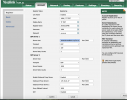
- When accessing the phone’s web interface, all configuration details appear correct.
- The phone can successfully ping the machine running the SBC.
Remarks:
- The phone and the SBC local machine are on the same network
- They both ping each other
Could you help me troubleshoot this issue?
Thank you.