Yealink T31P won't register and takes out the working system/phones

Status
Not open for further replies.

spy55

Free User
Joined
Jun 19, 2024
Messages
4
Reaction score
1
Supporting a small business with two Yealink T54Ws. They work fine, but when I tried to add a T31P using one of the T54 as a routing device, the SIP request gets rejected due to Block WAN request is ON. I was told that the block would be lifted after a day or two, and hope the phone would register. But what happens is the public IP address for the business gets blocked and brings down the whole system, the other 2 T54s that were working. I was able to fix the system by changing the public IP address, but T31P still would not register. Unchecking the "block remote non-tunnel connections" does not do anything it seems.

So the question is does 3CX support T31Ps using a T54 as a SIP router? And how do you get around this WAN BLOCK ON to register a new phone without taking out the whole system? If I use another T54 would it have the same problem as the T31Ps? I am using the free Cloud PBX and there does not seem to be much option to unblock or whitelist it seems.

Any help to get me through this situation would be appreciate it.
 
This is supported, but it sounds like the T31P was either not connected via SBC during setup, or the SBC phone is not online and the T31P tried to connect directly, bypassing the SBC (which is automatically blocked).

1.Delete the T31P and factory reset it.

2. Ensure the SBC is up and running, it will appear as green in the Voice & Chat page.

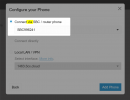
3. Now add the T31P again, and make sure the correct SBC is selected here:
1719818876268.png

You can now restart the phone and it should configure itself and register.
 
  • Like
Reactions: AndreasMi_3CX
Thank you JohnS for the reply. I was able to follow your instructions and got it to register correctly. I followed the same steps before, but I think where I may have messed up is not properly factory resetting the T31P.

Would it be OK if I can tag another issue.
The ultimate goal for setting up T31P is to pickup calls from other extensions. According to search, the way to do this is *20*<extension>, or on T54 you just hit the BLF button of the blinking extension and it works. When you do these on T31P it does not work, but shows scrolling message that says, "Call/transaction does not...." All phones/extensions are included in the ring group, and setup to receive from the ring group. I don't see Call Pick option on the BLF setup either. I reached out to Yealink and they said it is not their problem. Any idea how I can get it to work?
 
  • Like
Reactions: JohnS_3CX
Yes, the role "User" is not allowed to pick up calls in the current version of 3CX V20 Update 1, but this will change very soon when we release the next version Update 2.

For now, you may change to role to "Receptionist" on the T31P extension, and it should be able to pick up the calls as expected.
 
Thank you again JohnS for help. Changing the role worked. I thought the role selection was just a label, but apparently it has technical impact. I need to read up on the details or wait until the Update 2 and read the release notes.

Best,
Steve
 
Appreciate the link SteveITS.
 
Status
Not open for further replies.

Members Online Now

Forum statistics

Threads
111,832
Messages
589,284
Members
164,662
Latest member
DejanMDS