Yealink T41S won't update firmware

Status
Not open for further replies.

Peter Richardson

Customer
Basic Certified
Joined
Apr 6, 2017
Messages
286
Reaction score
16
Hi All,

I have 2 x Yealink T41S handsets, I just updated one to the latest firmware, no issues. The other won't update. It's currently on 36.81.0.70 and it won't take any of the firmwares available on the Yealink site or the 3CX firmware site, probably because they start with 66.81......

What's the trick?
 
Hi Peter,

Are you sure that it's a Yealink T41S model?
As I can see from your description, that phone is running the "36.81.0.70" firmware version which indicates that it's a T41P model and not the T41S.
Try to download the latest FW files from here and update it to the "36.83.0.55" version using the "T41-36.83.0.55.rom" file.
After that you can factory reset and provision it.
 
Hey Aram!

Thanks very much for your help! What a silly mistake!!! I could have sworn that I did look and double check that it was an S instead of a P...but I must have been remembering that from when I did the first one.

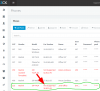
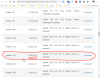
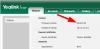
So I have successfully updated the firmware to the latest that is supported by 3CX which is, as you mentioned, 36.83.0.55 but look (see attached) 3CX shows that it's unsupported!

Screenshot 2018-11-03 10.58.23.png Screenshot 2018-11-03 10.56.51.png Screenshot 2018-11-03 10.55.40.png
 
yes, 15.5.15502.6
 
Hmm.. maybe reboot? Or just wait. The fact that it's read doesn't mean anything in this case. You already know it's an approved firmware.
 
yes, 15.5.15502.6
Hi Peter,

Due to that the phones were updated manually, the PBX "wasn't informed" that it's a supported FW version.
Navigate to Settings->Updates (or Dashboard->Updates) page and you will see these FW versions under the Firmware section. Just select and download them.
Like this, you will not just download the file, but also will update the supported version number of these Yealink phones in 3CX PBX settings.
 
Good point Aram. I figured that was kinda obvious but I guess if you get used to ignoring the updates section because of the all the new trunks that might have been missed.
 
Hi Peter,

Due to that the phones were updated manually, the PBX "wasn't informed" that it's a supported FW version.
Navigate to Settings->Updates (or Dashboard->Updates) page and you will see these FW versions under the Firmware section. Just select and download them.
Like this, you will not just download the file, but also will update the supported version number of these Yealink phones in 3CX PBX settings.
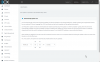
Thanks Aram, but there are no firmware updates available as I have this one set to automatically update, and I constantly check this one (it's our own, not a client).

Screenshot 2018-11-05 10.46.18.png
 
Thanks Aram, but there are no firmware updates available as I have this one set to automatically update, and I constantly check this one (it's our own, not a client).

View attachment 8937
Hi Peter,

Are these phones provisioned by 3CX or you just manually registered them using the SIP username and password?
Please edit these extensions, navigate to the Phone Provisioning tab and check the phone models there. You should see something like this:
upload_2018-11-5_10-51-24.png

If it's not there, this means that the phones are not provisioned by 3CX, so we can't control the config or firmware of these phones. You need to provision them first.
Here is the guide that you need to follow to provision the Yealink phones.
 
Thanks very much Aram. Yes they were provisioned, but in following your guidance above, I spotted that I had made the same mistake above - I had selected T41S in the "Phone Provisioning -> Your Phones" section, instead of T41G. Thanks very much to everyone here!

One more question though - I have just discovered, to my delight, option 66 (TFTP server option for DHCP to help auto-provision). This is amazing, but it only works if you have already added the extension and the MAC address under Extension -> Provisioning -> Phone Provisioning -> Your Phones.

We are using a site to site VPN with the same router (pfSense) at both ends of every new site. We host our own 3CX on our own servers and every new site connects via OpenVPN which works perfectly.

Is it possible to make 3CX and the phones behave like it does when 3CX is on the local lan, or like it does with an SBC, where the phone (upon booting up for the first time) sends out a broadcast / multicast (I'm not sure which exactly) to the local 3CX server or the SBC, and then the phone appears in the 3CX server under the Phones section as a new phone, ready and waiting to be assigned to an extension? This would mean that we wouldn't need to log into the router and look up the MAC address and then enter it into 3CX at all! Much quicker!!
 
Yes
 
A succinct answer! I love it!

Now, any chance you could tell us how? Because it didn't work for me with a T21P E2 or a T48
 
Status
Not open for further replies.