Solved Yealink T46U not being sent full CallerID info in the INVITE

Status
Not open for further replies.

Christian SCG

Premier Customer
Joined
Dec 21, 2021
Messages
24
Reaction score
6
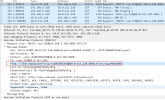
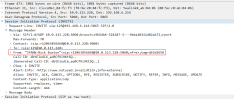
One of our users reported that they weren't seeing any CallerID info on incoming calls on their Yealink T46U. They are our only T46U user, most are on T46S models and I confirmed that they are displaying the incoming call correctly on their screens. I opened a ticket with Yealink and they grabbed logs from each phones and have shown that our T46U is not getting the same info in the FROM line of the INVITE. Both phones are configured for LAN connection and have the latest/recommended firmware from 3CX. Thoughts? Recreate the phone? User? Bad phone template (we're using stock 3CX templates)? See attached screengrabs.
 

Attachments

  • T46S.png
    T46S.png
    37.8 KB · Views: 5
  • T46U.png
    T46U.png
    57.4 KB · Views: 5
Hi,

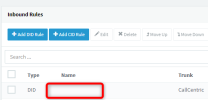
Do you have an inbound rule going to that extension with No Name?

1669217139971.png
 
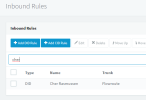
No, it's a named inbound rule. It does correctly display HER name on the call info, there's just nothing to the left where the caller is usually displayed.
1669217293118.png
 
The other one has JFANW in front. Is that a queue / ring group?

The part just before Cher, shows that its coming from somewhere with a blank name
 
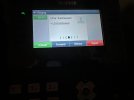
Here's how it displays on her phone:IMG_0993 (1).jpg
 
The other one has JFANW in front. Is that a queue / ring group?

The part just before Cher, shows that its coming from somewhere with a blank name
JFANW is the CallerID of the caller (I run a small dojo so that's my school's CallerID).
 
Ok so you are set up to show it in this format Caller ID:Name Of Inbound Rule
There is no caller ID hence it shown like :Name Of Inbound Rule

JFANW is the CallerID of the caller (I run a small dojo so that's my school's CallerID).

What you need to learn now, is why there is no caller ID there.
The Caller ID is read from the trunk and then passed on to the extension (The Yealink is not part of the issue - it's all to do with how your call arrives to 3CX first and foremost)

Maybe you have to take a look at the Invite from the provider first, before you even look at the next hop which is the Invite going to the Yealink.
 
Ok so you are set up to show it in this format Caller ID:Name Of Inbound Rule
There is no caller ID hence it shown like :Name Of Inbound Rule


What you need to learn now, is why there is no caller ID there.
The Caller ID is read from the trunk and then passed on to the extension (The Yealink is not part of the issue - it's all to do with how your call arrives to 3CX first and foremost)

Maybe you have to take a look at the Invite from the provider first, before you even look at the next hop which is the Invite going to the Yealink.
Those are both calls through the same trunk from the same number. Why would 3CX not pass the CallerID info through to one of my extensions, but does to all the others?
 
Actually, I think you're right, for some reason Flowroute isn't sending that info through on her calls. I will open a ticket with them.
 
Doublecheck it via capture, and then if it is indeed so, give them the capture as evidence.
 
Got this sorted. Flowroute has CNAM lookups disabled by default. I thought that was enabling a CNAM record for the DID in question. Had to enable CNAM lookups on all of our DIDs and this resolved the issue.
 
  • Like
Reactions: JohnS_3CX
Excellent! Thanks for sharing your solution.
 
Status
Not open for further replies.

Members Online Now

No members online now.

Forum statistics

Threads
111,831
Messages
589,277
Members
164,660
Latest member
RJenkinsROCK