Yealink T48s phone + EXP40 expansion module

Status
Not open for further replies.

Song

Bronze Partner
Basic Certified
Joined
Nov 12, 2018
Messages
379
Reaction score
24
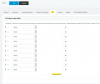
We currently have T48s phone + the EXP40 expansion module. Anyone know what is the correct way to set this expansion module up? The way I am setting it up is to login to the phone GUI itself and go to DSSKEY then go to the EXT KEY -> expansion key 1. This is where i configure the BLF key. But for some reason on one of the phone I was able to configure up to 17 BLF anything above it when i hit save it just doesn't save after that. I tried with another 2 more phone with the same exp40 and samething the max i can go up to is line 9. no matter what i put on line 10, 11, 12, when i hit the save it just show nothing on those line. is there a bug? anyone know the reason for this? or what i can do? I tried to reboot the phone but same thing.

thank you
 
Have you simply tried adding BLFs from the EXT set up?

1582734271815.png
 
Last edited:
Still the same. i added it in the phone extension under BLF under 30-47, but again only 9 showed up the last 9 didn't show up. Eventhough it got stuff through 39-47. anyone know the reason for this. why it only show up 9 maxed? on th expenstion slot..
 
Is your Yealink running the latest FW?

https://www.3cx.com/support/phone-firmwares/
all T48S phone are running the latest version of firmware.
Yealink T48S66.84.0.95

How do I set the phone to default and redo everything again? This is so strange. Maybe the EXP 40 is having issues? its so strange. we have 3 EXP 40. one of it can go up to 17 max. the other one can only go up to 9 max and last one can also go up to 9 max. So strange!! all with the same firmware.

thank you for the support.
 
Press and hold OK to factory reset or log in to phone GUI and i think its under settings > configuration.
 
Status
Not open for further replies.

Latest Posts

Forum statistics

Threads
111,939
Messages
589,843
Members
164,822
Latest member
Lengo