Solved Yealink T48S says "No Service"

Status
Not open for further replies.

HFH-Digerati

Free User
Joined
Oct 30, 2020
Messages
31
Reaction score
3
Hello,

I'm having some issues getting this Yealink T48S connected/provisioned and would like everyone's thoughts. It just says no service...I've read through quite a bit of documentation and still can't get it going.

The extension is currently setup as 106 and is displaying under the "extensions tab" (currently has the red circle over on the left column). When I go over to the "phones" tab, 106 is not displayed here. So I click on "add phone", select the extension that i'd like to add the station too (106), input the model of the phone station, and it's mac address and hit okay. It then adds the station to the extension, but still doesn't display under the "phones" tab. Why is this?

I've also tried factory resetting the station. Going to the web interface by punching in the IP address into my browser. Going to Settings > Auto Provision and putting in the Sever URL and Username and password. Hitting confirm at the bottom and then hitting "Auto Provision" and it still doesn't do anything. Phone continues to say "No service".

Any ideas? Am I doing something wrong?
 
Could you provide the information mentioned here: https://www.3cx.com/community/threads/information-to-provide-when-requesting-help.67558/

Also, it sounds like you're might not be following the correct procedure for provisioning the device, I'd recommend factory resetting and then following exactly what the guide says here: https://www.3cx.com/sip-phones/yealink-t4-series/
When the station is factory reset and plugged in, it does not show up under the "Phones" tab in bold.
 
3cx Version: 16.0.9
Server OS: Server OS is debian 9
Hosted or on premise: self hosted as a HyperV vm
IP Phone Make/Model/Firmware: Yealink T48S FW: 66.86.0.5
Provisioning Method:Local
Trunk Provider: siptrunk.com
Has the firewall checker passed: Yes
Are custom templates being used: No
 
When you factory reset the device it normally should come up in the "Phones" section as it will send a SUBSCRIBE message to multicast ip 224.0.1.75 which the 3CX PBX is listening on. Since this doesn't happen it may mean that due to network configuration, these multicast messages are not coming through to the 3CX PBX. In any case, before investigating this matter I would first recommend trying to provision the device using the manual link provisioning method mentioned here. Make sure that the network interface set on the extension level (in phone provisioning tab for that device) is set to the local IP since the IP Phone is local. After you attempt to provision it, access the device's UI and check if the account settings got pulled (extension number, etc) in order to determine if it got provisioned regardless of whether it registered or not. Let us know what happens.

Note: Since the machine is a Debian 9 instance running on Hyper-V, do make sure that an ntp client has been installed as mentioned in our guide here.
 
I attempted to provision it manually with the link. I then went to the "Accounts" section on the phone station itself and it says that there's no accounts...what can i do from here? Still says "No service" in the top left of the station.
 
Hi,

today I've the same problem by two of our clients. The Phones were provisioned yet since a couple of months.

I think this is an 3CX issue.

Firmwareupdate and factoryreset of the Phone don't resolved the problem.
 
@ict-project
today I've the same problem by two of our clients. The Phones were provisioned yet since a couple of months.

I think this is an 3CX issue.
I have just tested the manual link provisioning method with a Yealink T48S running firmware version 66.86.0.6 and on 3CX v16.0.8.9 but could not reproduce the issue.

@HFH-Digerati

This issue would definitely need to be investigated in more depth so I'd highly recommend considering contacting on of our 3CX Partners to get help on this.
 
Hi,

today I've the same problem by two of our clients. The Phones were provisioned yet since a couple of months.

I think this is an 3CX issue.

Firmwareupdate and factoryreset of the Phone don't resolved the problem.
ever find a solution?
 
Hosted or on premise
I have a thought, you obviously have SSL cert on your PBX, is it by chance issued by Sectigo? if so that could be your problem. Sectigo formerly Comodo is not trusted by the phone, turn off trusted certs in the phone GUI, reboot and see if it works.
 
Can you see the content of the cfg file of your provision link by entering the phone Provision URL in to the Address bar of your browser?
Append to the Provisioning URL the MAC address of your phone followed by .cfg
http://<IP PBX>/provisioning/xxxxxxxx/<MAC-address>.cfg
 
  • Like
Reactions: HFH-Digerati
Can you see the content of the cfg file of your provision link by entering the phone Provision URL in to the Address bar of your browser?
Append to the Provisioning URL the MAC address of your phone followed by .cfg
http://<IP PBX>/provisioning/xxxxxxxx/<MAC-address>.cfg
It did download a cfg file when doing what you said.
 
Yealink phones do not use http://<IP PBX>/provisioning/xxxxxxxx/<MAC-address>.cfg,
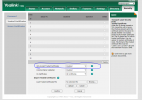
the best way is to Disable=> Only Accept Trusted Certificates, then reboot

Capture.PNG
 
  • Like
Reactions: atommo
Hi,

Is your IP phone & PBX both are connected to the same local network?

I think your Phone IP may be blacklisted.

Thanks,
RA.
 
@HFH-Digerati

Please try next:
Enter your “Provisioning Link” including <MAC-address>.cfg in the section “Server URL” as describe in manual link provisioning method Step 2.3
Thus not only the provision link, but the link as you tried before.

Do not use HTTPS, use HTTP.
 
Last edited:
Hi,

Is your IP phone & PBX both are connected to the same local network?

I think your Phone IP may be blacklisted.

Thanks,
RA.
WOW. Thank you so much. No idea why I didn't think to check this. The IP was listed in "IP Blacklist". I changed it to allow the IP. After doing so, I went to the phones IP URL and performed an auto provision. It's now listed under "Phones" and is showing as active.

I wanna thank everyone for their suggestions. I greatly appreciate it!!
 
  • Like
Reactions: ChrisC_3CX
Glad to see you managed to resolve the issue!

Please feel free to start a new thread should you need anything else!
 
Status
Not open for further replies.

Members Online Now

No members online now.

Forum statistics

Threads
111,831
Messages
589,277
Members
164,660
Latest member
RJenkinsROCK