- Joined
- Jul 30, 2020
- Messages
- 9
- Reaction score
- 1
Hi all,
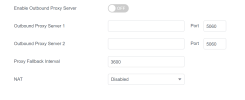
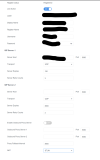
1. We have a few sites with SBCs and on this small two phone site decided to try and use STUN provisioning. I did manage to get the provisioning file downloaded to the T54W phone but the phone did not register. Luckily after a good night sleep, It came to me to DISABLE the NAT in The Account Register page which solved the registration of the extension issue.
2. Now its easy enough to change the NAT from STUN to DISABLE but when the phone reprovisions it overwrites the manual change.
3. So my question is:
A. why does the 3CX default Yealink phone template sets the NAT to STUN when that setting doesn't allow it to register?
B. I've looked into creating a custom template out of the yealink T4X default template but i'd rather just use the default template as custom templates are not supported by 3CX. So would you think thats the solution or would you suggest a better solution?
Thanks in advance,
Roy
1. We have a few sites with SBCs and on this small two phone site decided to try and use STUN provisioning. I did manage to get the provisioning file downloaded to the T54W phone but the phone did not register. Luckily after a good night sleep, It came to me to DISABLE the NAT in The Account Register page which solved the registration of the extension issue.
2. Now its easy enough to change the NAT from STUN to DISABLE but when the phone reprovisions it overwrites the manual change.
3. So my question is:
A. why does the 3CX default Yealink phone template sets the NAT to STUN when that setting doesn't allow it to register?
B. I've looked into creating a custom template out of the yealink T4X default template but i'd rather just use the default template as custom templates are not supported by 3CX. So would you think thats the solution or would you suggest a better solution?
Thanks in advance,
Roy