- Joined
- Jul 25, 2023
- Messages
- 3
- Reaction score
- 0
Hello,
I've got a system set up with some Yealink T57W phones and I would like to use the "Call Park" soft key to park the current call on the next available shared parking space.
I have the BLF keys configured with the shared parking spaces 0-4 and this works correctly if the user pushes the corresponding BLF key to park the call in this space.
However, if the user pushes the "Park Call" soft key which appears under the caller's information on the call screen the call is disconnected and not parked.
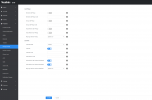
I've attached the configuration screenshots for these options. I believe the setting I need is the "Call Park Code" on the second screenshot. Setting this to *0 does not work and setting it to SP0 does park the call in parking space 0, but then if the user wishes to park another call with this button then it doesn't work because a caller is already in parking space SP0.
I'm running 3CX Self-Hosted V18u8.
Any help is greatly appreciated!
I've got a system set up with some Yealink T57W phones and I would like to use the "Call Park" soft key to park the current call on the next available shared parking space.
I have the BLF keys configured with the shared parking spaces 0-4 and this works correctly if the user pushes the corresponding BLF key to park the call in this space.
However, if the user pushes the "Park Call" soft key which appears under the caller's information on the call screen the call is disconnected and not parked.
I've attached the configuration screenshots for these options. I believe the setting I need is the "Call Park Code" on the second screenshot. Setting this to *0 does not work and setting it to SP0 does park the call in parking space 0, but then if the user wishes to park another call with this button then it doesn't work because a caller is already in parking space SP0.
I'm running 3CX Self-Hosted V18u8.
Any help is greatly appreciated!