


- Joined
- Jun 19, 2025
- Messages
- 4
- Reaction score
- 0
We would like to pull the SBC from the network but can't get our router phone (Yealink T57W) to register without it.
When provisioning the phone I selected connect directly ( image taken from https://www.3cx.com/docs/manual/ip-phones/) but it will not register. I am able to access the phone via the web interface.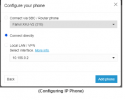 I have tried adding the phone with the SBC and then going in and changing the outbound proxy server the FQDN of our 3cx cloud server but the phone will not register like that. I feel like I'm close, but need some guidance. EDIT: I also have made sure the phones IP is allowed in the blacklist
When provisioning the phone I selected connect directly ( image taken from https://www.3cx.com/docs/manual/ip-phones/) but it will not register. I am able to access the phone via the web interface.
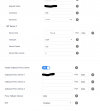
I have tried adding the phone with the SBC and then going in and changing the outbound proxy server the FQDN of our 3cx cloud server but the phone will not register like that. I feel like I'm close, but need some guidance. EDIT: I also have made sure the phones IP is allowed in the blacklist 


