Yealink W60

Status
Not open for further replies.

louieblackman

Free User
Joined
Feb 24, 2022
Messages
13
Reaction score
3
Hi All,

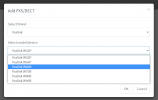
I am provisioning a Yealink W60 within 3CX (says supported) but I cannot find the phone within the 'Add Phone' screen within the management console.

Can anyone advise on what I could use as an alternative model which will work or advise why I cannot see the handset?

Thanks!
 
Not sure what you mean by ‘add phone pop up’ as you do not configure these phones the same way as normal handsets - you have to manually provision the phone

please follow the steps in the url , as your 3cx is hosted you need to configure the w60 using sbc or stun.

if you are configuring your phones as stun, please configure them using the 3cx supported way
 
Last edited by a moderator:
@louieblackman take another look at the guide, I think you missed the steps which explains to you where you go to add a DECT phone.

1651042145644.png

Please ensure you have first installed an SBC at your premises before you deploy the W60, otherwise you might face issues like one way audio, or missed calls, or deregistration. 3CX does not provide support for phones in STUN mode when you are using the "Hosted by 3CX" solution.

https://www.3cx.com/docs/3cx-tunnel-session-border-controller/
 
Status
Not open for further replies.

Forum statistics

Threads
111,832
Messages
589,284
Members
164,662
Latest member
DejanMDS