Yealink W70B not auto-provisioning

Status
Not open for further replies.

Scott EIT

Bronze Partner
Basic Certified
Joined
Jan 29, 2019
Messages
209
Reaction score
18
Good afternoon,

We've been running into trouble provisioning a Yealink W70B DECT base. No matter how many times we attempt to auto provision, it never takes the config nor appears on 3CX
We're using a Fanvil V65 router phone as an SBC, which was provisioned weeks ago with no problems.
It's 3CX Pro, v18, hosted by 3CX.
The base has been factory reset several times, we've updated firmware for the Yealink to the latest version, and we've update firmware on the router just in case.
Diagnostics logs have been sent to 3CX's help desk, and we're being told that the SIP register isn't reaching 3CX. Through a packet capture on the SBC, we can see that there are SIP protocol packets being sent, though we can also see it coming back with Status: 500 Server Internal Error.

We're at a loss for how to proceed further, so hoping to get a bit of advice on resolving this issue.
Thanks.
 
No matter how many times we attempt to auto provision, it never takes the config
So you logged in and none of the fields contained 3CX info under Account 1?

- Server Host ?
- Outbound Proxy Server 1 ?


There's a couple of things that could go wrong here
  • Wrong MAC entered, so PBX does not generate a file
  • Custom certificates used on server, Yealink doesn't support them (not if hosted by us)
  • Device cannot actually reach the server to fetch config file (network related)

You can try downloading the config yourself and uploading it to the device manually rather than provisioning it via URL however if the above issues still apply, you will have problems with it (phonebook, reprovisioning).


Are you able to download the config file if you paste it into your browser? Start from there because if this cannot be downloaded, there is no point in looking further.
 
Last edited:
Hi John,

Mac address is correct and there's no custom certificates on the 3cx server. Is very basic. One Fanvil V65 router phone and one W70b. Nothing else.

Can you talk me through the steps for downloading the config file and uploading it manually please?
 
Also check in case your device may have been blacklisted by the PBX.
 
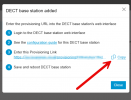
When creating it, copy the URL and paste it into a web browser. Navigate to the page.

Does it work? If yes, a file should attempt to download. It's possible that your web browser may block the download, labeling it as a dangerous file. This is simply because it sees it as a file with a configuration extension and wants you to be cautious. Don't worry, it's your file.

1723556526361.png


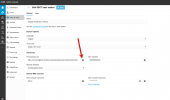
It's here too.

1723556768629.png


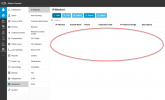
The list of blacklisted IP addresses is here :


1723556846158.png
 
  • Like
Reactions: Scott EIT
Hello,

Thank you both for the quick responses. I have confirmed we currently have no IPs blacklisted.

When I try post the provisioning link into a web browser I am presented with a HTTP 404 error.

I've tried this on Edge & Chrome is there something I am missing? Or is there any alternative way to download the config?

Thanks,
 
Have you tried going on the web gui, going down to settings and clicking auto provision, and copy and past the 3cx provisioning link, scroll to the bottom and click auto provision.
 
Hello,

Thank you both for the quick responses. I have confirmed we currently have no IPs blacklisted.

When I try post the provisioning link into a web browser I am presented with a HTTP 404 error.

I've tried this on Edge & Chrome is there something I am missing? Or is there any alternative way to download the config?

Thanks,

Does the URL contain the 3CX FQDN, or is it a local IP of the PBX?
is https or http ?
 
It is a https link and includes a FQDN for the clients tenancy in question.
 
Is this not a custom template?

If not, delete the phone configuration and start over. It's essential that you're able to download the .cfg file; otherwise, the phone won't be able to do it either.
 
  • Like
Reactions: Scott EIT
Sorry, can you elaborate on the config. We've reset the W70B previously and the provisioning link that appears within the web portal is the same after being reset.

Am I missing a step?
 
Sorry, can you elaborate on the config. We've reset the W70B previously and the provisioning link that appears within the web portal is the same after being reset.

Am I missing a step?


Have you completely removed the phone from the 3CX PBX system?
 
Yes, DECT base station removed. When the provisioning link is copied into the browser and we navigate to it, nothing happens. Page not found. Nothing is downloaded or attempted to be downloaded.
 
So after deleting, you created it again, then copied the new link, tried it in a web browser, and it still doesn't work?

Please send me your provisioning link privately.

I will validate its format.
 
Provisioning link sent privately Guillaume. Thanks.

I've tried downloading the config on another couple of instances and the both download fine. I'm assuming this one has an issue. If that's the case, how do we resolve it?
 
Ok

I confirm that I’m getting a 404 Not Found error and that the URL is in the correct format.
https:// REDACTED .3cx.uk/provisioning/ez REDACTED 7t6/805E0C REDACTED .cfg


Please try restarting all the services on your 3CX PBX.
After that, try downloading the config file again.
 
  • Like
Reactions: Scott EIT
Oh nice !

It’s working now. ( Prov link )
Still, make sure to update soon!
 
  • Like
Reactions: Scott EIT
Restarted the services and the phone provisioned no problem!! Thanks very much for your help Guillame. I have to say however, extremely dissapointing that we raised a ticket two weeks ago to try and get this resolved and we were continually told we must have an internal network problem!

3CX Community from now on! Thanks again for your help!
 
Restarted the services and the phone provisioned no problem!! Thanks very much for your help Guillame. I have to say however, extremely dissapointing that we raised a ticket two weeks ago to try and get this resolved and we were continually told we must have an internal network problem!

3CX Community from now on! Thanks again for your help!


I'm glad that resolved your issue, but I must be honest—I was quite lucky! Really lucky!

So, please don't think I'm better than the 3CX support team; that's not the case, as I often seek their help myself. The community (Forum) is not in competition with the 3CX support team, and I don't believe that 3CX support places less importance on the forum. We all share the same goal: to ensure the best possible experience for all 3CX users.

Asking you to restart the services is one of the steps they suggest when I encounter unusual cases.

I simply considered what the 3CX support might have advised if they had confirmed that the URL was correct but wasn't working externally.


I believe your situation was just an isolated incident.
Usually, the 3CX support team gets me the help I need. :)
 
Last edited:
Status
Not open for further replies.

Members Online Now

No members online now.

Forum statistics

Threads
111,831
Messages
589,277
Members
164,660
Latest member
RJenkinsROCK