- Joined
- Aug 5, 2019
- Messages
- 27
- Reaction score
- 6
Hello,
I am working on intergrating Zammad and 3CX. I used the template generator and am able to upload it to our 3CX envirnoment.
When testing the XML with a phone number only the last 6 digits entered are used in the search query.
Entering a propper phone number results in an empty response. For testing I added an account with a phone number consisting of only 6 digits.
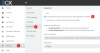
The contact is returned, including the following statement: "CRM Integration is working OK but contact number does not exist. Check log for more info or try a different number."
The field below shows the following:
Started scenario with empty id
Request text: http://tickets.riwo.eu/api/v1/users/search?query=123457
Response text: [{"id":311,"organization_id":null,"login":"[email protected]","firstname":"test","lastname":"gebruiker","email":"[email protected]","image":null,"image_source":null,"web":"","phone":"123457","fax":"","mobile":"123458","department":"","street":"","zip":"","city":"","country":"","address":"","vip":false,"verified":false,"active":true,"note":"","last_login":null,"source":null,"login_failed":0,"out_of_office":false,"out_of_office_start_at":null,"out_of_office_end_at":null,"out_of_office_replacement_id":null,"preferences":{"locale":"nl-nl"},"updated_by_id":110,"created_by_id":110,"created_at":"2019-10-04T14:08:52.220Z","updated_at":"2019-10-04T14:08:52.220Z","role_ids":[3],"organization_ids":[],"authorization_ids":[],"group_ids":{}}]
Response finished
Finished scenario with empty id
It is unclear to me why only the last 6 digits of the phone number are passed in the request. It is also unclear to me how this will function when a customer calls, could this be explained?
Also how can the intergration be working propperly but the number does not exist, however it is able to return the proper information?
I am working on intergrating Zammad and 3CX. I used the template generator and am able to upload it to our 3CX envirnoment.
When testing the XML with a phone number only the last 6 digits entered are used in the search query.
Entering a propper phone number results in an empty response. For testing I added an account with a phone number consisting of only 6 digits.
The contact is returned, including the following statement: "CRM Integration is working OK but contact number does not exist. Check log for more info or try a different number."
The field below shows the following:
Started scenario with empty id
Request text: http://tickets.riwo.eu/api/v1/users/search?query=123457
Response text: [{"id":311,"organization_id":null,"login":"[email protected]","firstname":"test","lastname":"gebruiker","email":"[email protected]","image":null,"image_source":null,"web":"","phone":"123457","fax":"","mobile":"123458","department":"","street":"","zip":"","city":"","country":"","address":"","vip":false,"verified":false,"active":true,"note":"","last_login":null,"source":null,"login_failed":0,"out_of_office":false,"out_of_office_start_at":null,"out_of_office_end_at":null,"out_of_office_replacement_id":null,"preferences":{"locale":"nl-nl"},"updated_by_id":110,"created_by_id":110,"created_at":"2019-10-04T14:08:52.220Z","updated_at":"2019-10-04T14:08:52.220Z","role_ids":[3],"organization_ids":[],"authorization_ids":[],"group_ids":{}}]
Response finished
Finished scenario with empty id
It is unclear to me why only the last 6 digits of the phone number are passed in the request. It is also unclear to me how this will function when a customer calls, could this be explained?
Also how can the intergration be working propperly but the number does not exist, however it is able to return the proper information?