- Joined
- Mar 8, 2019
- Messages
- 14
- Reaction score
- 2
BACKGROUND: Version 16 BETA 1 / Google Cloud Hosted
ISSUE: 3CX never finds the matching account in the contacts module of ZOHO CRM
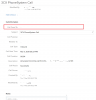
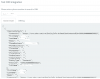
ADDITIONAL INFORMATION: I am able to use the test function within the ZOHO Setup when using a sample contact with the phone format 713-555-1212 - it returns the intended contact name. The test contact in ZOHO contacts has the same phone number as the external caller. ALL phone numbers are not hidden in ZOHO contacts and leads modules.
LOGGING:
Calling from 713-555-1212 external of 3CX system from cell phone. Cell phone's 713-555-1212 number is in the contacts module.
The problem appears to be "Skipping request..." but I have no idea why it is "skipping" but it then goes on to say "No matchings found." - what's up with that?
2019/03/08 17:47:09.166|20339|0040|Info|CHR: #3: Seg[1/#3] fcae5d4e8f07(713-555-1212)=>8333df594a3f(AS: General Support) (17:47:00.761..17:47:04.480) Ringing Connected
2019/03/08 17:47:09.166|20339|0040|Trac|CHR: Executing SQL: INSERT into cl_segments (id,call_id,seq_order,seq_group,src_part_id,dst_part_id,start_time,end_time,type,action_id)
VALUES (DEFAULT,21402,3,1,68828,68832,'2019-03-08 23:47:00','2019-03-08 23:47:04',1,1)
RETURNING id
2019/03/08 17:47:09.167|20339|0040|Info|CHR: #4: Seg[1/#4] fcae5d4e8f07(713-555-1212)=>3f00e7212fee(Ext.103) (17:47:04.480..17:47:09.067) Talking TerminatedBySrc
2019/03/08 17:47:09.167|20339|0040|Trac|CHR: Executing SQL: INSERT into cl_segments (id,call_id,seq_order,seq_group,src_part_id,dst_part_id,start_time,end_time,type,action_id)
VALUES (DEFAULT,21402,4,1,68828,68831,'2019-03-08 23:47:04','2019-03-08 23:47:09',2,5)
RETURNING id
2019/03/08 17:47:09.167|20339|0040|Trac|CHR: Executing SQL: INSERT into myphone_callhistory_v14 (idmpch14,call_id,calltype,dnowner,party_dn,party_dntype,party_name,party_callerid,start_time,established_time,end_time,end_status,end_status_hint)
VALUES (DEFAULT,21402,2,'103','10001',128,'Smith, Bob','713-555-1212','2019-03-08 23:47:04','2019-03-08 23:47:04','2019-03-08 23:47:09',0,0)
RETURNING idmpch14
2019/03/08 17:47:09.173|20339|0040|Info|Transcribe is disabled
2019/03/08 17:47:09.175|20339|0010|Verb|Enqueue Updated.PARAMETER.751
2019/03/08 17:47:09.176|20339|0014|Verb|Dequeue Updated.PARAMETER.751
2019/03/08 17:47:09.176|20339|0040|Trac|CHR: [CDR] file writer: open/create file '/var/lib/3cxpbx/Instance1/Data/Logs/CDRLogs/cdr.log'
2019/03/08 17:47:09.817|20339|0040|Info|CRM: about to report 1 calls at maxConcurrency 1
2019/03/08 17:47:09.817|20339|0040|Verb|Processing scenario 'ReportCall'.
2019/03/08 17:47:09.817|20339|0040|Verb|Creating new HttpClient for Scenario authentication.
2019/03/08 17:47:09.817|20339|0040|Verb| Header 'Authorization' = 'Zoho-oauthtoken XXXXXXXXXXXXXXXXXXXXXXXXXXXXXXXXXXXXXXXXXXXXXXXXXXX'
2019/03/08 17:47:09.817|20339|0040|Verb|Skipping request...
2019/03/08 17:47:09.817|20339|0040|Verb|No matchings found.
2019/03/08 17:47:13.138|20339|0010|Verb|Enqueue Updated.PARAMETER.649
2019/03/08 17:47:13.138|20339|0014|Verb|Dequeue Updated.PARAMETER.649
2019/03/08 17:47:13.140|20339|0010|Verb|Enqueue Updated.PARAMETER.542
2019/03/08 17:47:13.140|20339|0014|Verb|Dequeue Updated.PARAMETER.542
ISSUE: 3CX never finds the matching account in the contacts module of ZOHO CRM
ADDITIONAL INFORMATION: I am able to use the test function within the ZOHO Setup when using a sample contact with the phone format 713-555-1212 - it returns the intended contact name. The test contact in ZOHO contacts has the same phone number as the external caller. ALL phone numbers are not hidden in ZOHO contacts and leads modules.
LOGGING:
Calling from 713-555-1212 external of 3CX system from cell phone. Cell phone's 713-555-1212 number is in the contacts module.
The problem appears to be "Skipping request..." but I have no idea why it is "skipping" but it then goes on to say "No matchings found." - what's up with that?
2019/03/08 17:47:09.166|20339|0040|Info|CHR: #3: Seg[1/#3] fcae5d4e8f07(713-555-1212)=>8333df594a3f(AS: General Support) (17:47:00.761..17:47:04.480) Ringing Connected
2019/03/08 17:47:09.166|20339|0040|Trac|CHR: Executing SQL: INSERT into cl_segments (id,call_id,seq_order,seq_group,src_part_id,dst_part_id,start_time,end_time,type,action_id)
VALUES (DEFAULT,21402,3,1,68828,68832,'2019-03-08 23:47:00','2019-03-08 23:47:04',1,1)
RETURNING id
2019/03/08 17:47:09.167|20339|0040|Info|CHR: #4: Seg[1/#4] fcae5d4e8f07(713-555-1212)=>3f00e7212fee(Ext.103) (17:47:04.480..17:47:09.067) Talking TerminatedBySrc
2019/03/08 17:47:09.167|20339|0040|Trac|CHR: Executing SQL: INSERT into cl_segments (id,call_id,seq_order,seq_group,src_part_id,dst_part_id,start_time,end_time,type,action_id)
VALUES (DEFAULT,21402,4,1,68828,68831,'2019-03-08 23:47:04','2019-03-08 23:47:09',2,5)
RETURNING id
2019/03/08 17:47:09.167|20339|0040|Trac|CHR: Executing SQL: INSERT into myphone_callhistory_v14 (idmpch14,call_id,calltype,dnowner,party_dn,party_dntype,party_name,party_callerid,start_time,established_time,end_time,end_status,end_status_hint)
VALUES (DEFAULT,21402,2,'103','10001',128,'Smith, Bob','713-555-1212','2019-03-08 23:47:04','2019-03-08 23:47:04','2019-03-08 23:47:09',0,0)
RETURNING idmpch14
2019/03/08 17:47:09.173|20339|0040|Info|Transcribe is disabled
2019/03/08 17:47:09.175|20339|0010|Verb|Enqueue Updated.PARAMETER.751
2019/03/08 17:47:09.176|20339|0014|Verb|Dequeue Updated.PARAMETER.751
2019/03/08 17:47:09.176|20339|0040|Trac|CHR: [CDR] file writer: open/create file '/var/lib/3cxpbx/Instance1/Data/Logs/CDRLogs/cdr.log'
2019/03/08 17:47:09.817|20339|0040|Info|CRM: about to report 1 calls at maxConcurrency 1
2019/03/08 17:47:09.817|20339|0040|Verb|Processing scenario 'ReportCall'.
2019/03/08 17:47:09.817|20339|0040|Verb|Creating new HttpClient for Scenario authentication.
2019/03/08 17:47:09.817|20339|0040|Verb| Header 'Authorization' = 'Zoho-oauthtoken XXXXXXXXXXXXXXXXXXXXXXXXXXXXXXXXXXXXXXXXXXXXXXXXXXX'
2019/03/08 17:47:09.817|20339|0040|Verb|Skipping request...
2019/03/08 17:47:09.817|20339|0040|Verb|No matchings found.
2019/03/08 17:47:13.138|20339|0010|Verb|Enqueue Updated.PARAMETER.649
2019/03/08 17:47:13.138|20339|0014|Verb|Dequeue Updated.PARAMETER.649
2019/03/08 17:47:13.140|20339|0010|Verb|Enqueue Updated.PARAMETER.542
2019/03/08 17:47:13.140|20339|0014|Verb|Dequeue Updated.PARAMETER.542