





Our recent blog post “3CX Global IP Blacklist: Security By Default” highlighted the importance that we place on security and how we endeavor to combat call fraud and hacking schemes. We finished it up advising to keep an eye out for some more specifics, stats, and patterns. Well, here it is. Over a series of 4 blog posts, we will raise awareness of the various security threats and bad practices leading to fraudulent use of your system. The aim is to make sure that you don't become “THAT” guy who opens the door to hackers.
Weak Credentials Open Doors
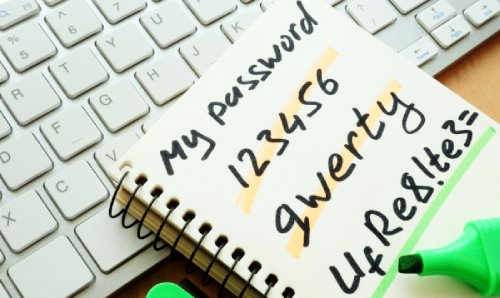
The first thing to beware of is that the use of weak credentials at any level puts your installation at risk, and can cause:
- Access to the management console or WebClient from untrusted parties
- Abuse of a user’s extension to place fraudulent calls at your expense
- Data breach of confidential information
- Impersonation
Upon deployment of fresh installations of the 3CX System, we make sure that all credentials generated are complex random strings. This includes, but is not limited to:
- Users' SIP credentials
- WebClient passwords
- Desk phone passwords
- Gateways & fax machines credentials
- Tunnel passwords
- Voicemail and conference PINs
Mistake 1: Simplifying Credentials
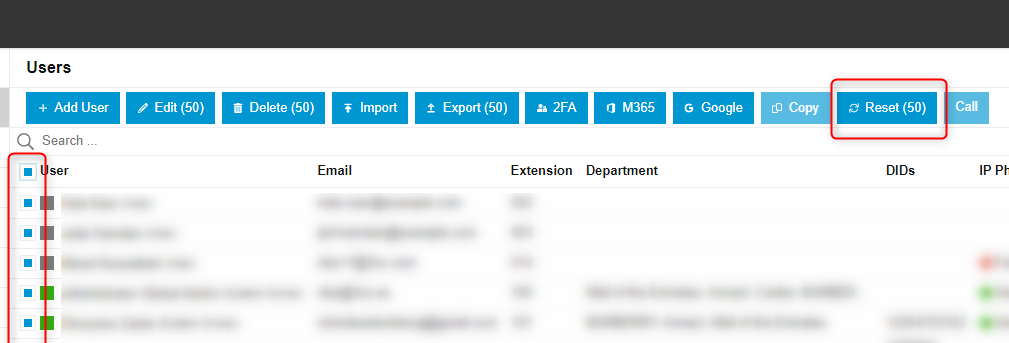
The number 1 mistake is to tamper with these credentials for testing or to ease users. This typically leads to access getting brute-forced by external attackers. So, where possible, just don’t change them manually.
If needed, you can always reset them, replacing them all with new ones randomly generated. This can be done from the “Users” page, selecting one or more users, and then clicking the “Reset” button, more info here. Or you can easily reset just a single user's phone credentials in their phone configuration page:
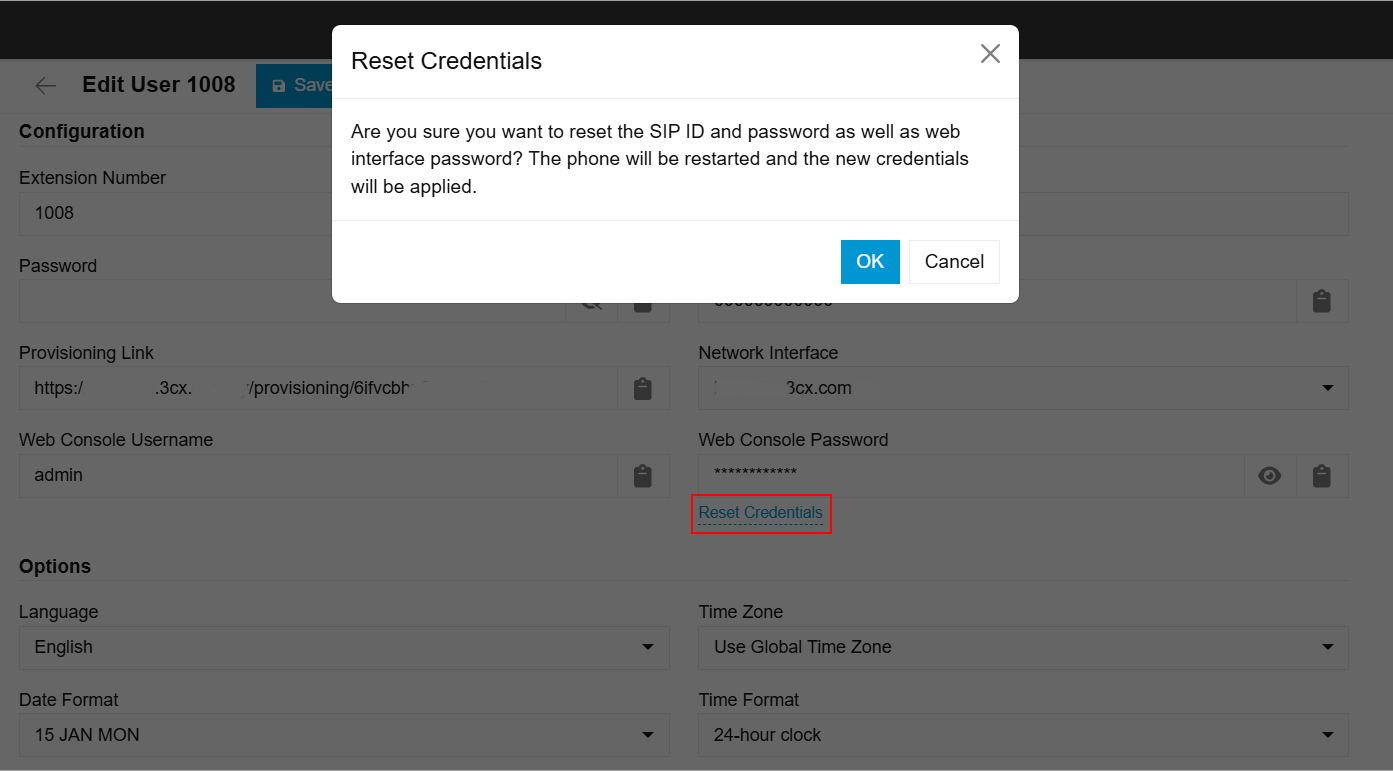
Mistake 2: Ignoring the Flags
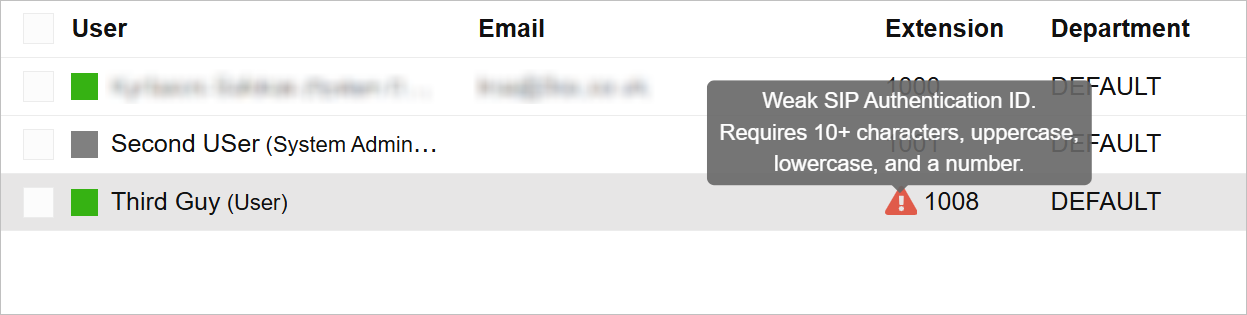
The number 2 mistake is to ignore the warning flags that are shown in the Admin Console under the Users page when weak credentials are in use.
Those warning flags have detailed information tips when being hovered to inform the administrator of what’s going on, such as:
Immediate Action Required
HIGH/CRITICAL SECURITY ALERT - when a user has a combination of weak SIP credentials and the option “Block remote non-tunnel connections (Insecure!)” is unticked.
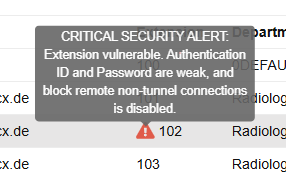
This last case is the worst one, as it exposes your SIP extension to external scans/brute-force attacks. By default, all users are created with the option “Block remote non-tunnel connections (Insecure!)” ticked, which ensures external SIP traffic towards their extensions gets dropped. It is to be unticked only when a remote STUN phone has been provisioned and does not interfere with the usage of 3CX Clients, as they rely on other protocols.
We’ve seen multiple occurrences of incidents that had root causes because of the above misconfiguration.
It's a Dangerous World
I mentioned that there are external attackers using scanning and brute-forcing techniques out there. The World Wide Web is, unfortunately, a dangerous place, and you must have noticed that already: as soon as you deploy any system in the cloud, it gets the attention of such bad actors.
In 3CX, there are several inbuilt anti-hacking mechanisms to stop short such attacks by blacklisting attackers' IP addresses. That said, some attackers are smarter than others. There are script kiddies, and then you have the big league who won’t attack you from a unique address but have plenty of resources at their disposal.
This includes the use of:
- Anonymization services such as VPN, Proxies, and TOR endpoints, hiding behind these and keep changing accounts/servers
- Compromised hosts that became “zombies”, and are now part of a botnet that can be driven in a distributed way at the command of a hacker
- Legitimate VoIP services or appliances that are misused to relay attacks and will show as originating from their IP addresses in place of the attacker’s
- Combinations of all these and renewed sources daily
We put great effort into getting you a secure environment out of the box, so please don’t turn off safeties, don’t change credentials, in brief:
… Don’t be “THAT” guy!
What should I do if I receive a security alert from my EDR/Antivirus software?
Please report the issue to your antivirus vendor and share their Antivirus Vendor Report with us once it is available by submitting this contact form and choosing option Security & Data Protection.
If you have a 3CX Partner, report any security reports/alerts to them immediately.
We look forward to receiving your comments on this topic!









 Copyright © 2026