SIP phone web interface credentials, invalid

jaytmurphy

Premier Customer
Basic Certified
Joined
Oct 29, 2025
Messages
2
Reaction score
0
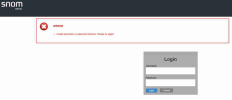
I cannot log into the web interface of the SIP phone, Snom HD series. After copying the password or manually entering as per the user IP phone details, I get the message Invalid credentials.
Any suggestions
The 3Cx has the latest software version; Version 20.0 Update 9 (Build 987 Beta - AI 1.4.48
Pro Edition 32
 
Hi there,

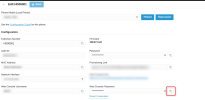
Did you copy the password from the Phones > Hot desking phones section, as shown in this example?
1780926498022.png


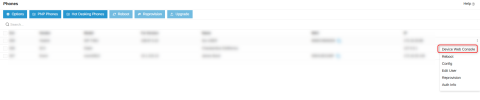
Try instead to use the option under the 3 dots on the right of the Phones node:

1780926647058.png
 
I cannot log into the web interface of the SIP phone, Snom HD series. After copying the password or manually entering as per the user IP phone details, I get the message Invalid credentials.
Any suggestions
The 3Cx has the latest software version; Version 20.0 Update 9 (Build 987 Beta - AI 1.4.48
Pro Edition 32
Hello Charles.
I used both options. Still can't access the device.
 

Attachments

  • Error.png
    Error.png
    95 KB · Views: 8
  • error2.png
    error2.png
    68.3 KB · Views: 8
It may be that the phone has not been updated correctly or is not providing the correct information.

Try a factory reset and reprovision as a first step.
 
  • Like
Reactions: JohnS_3CX
Hi,

Those phones will take the password from their 3CX provisioning. However, if the phone is unable to reprovision due to any reason, and the 3CX password was reset at some point after initial provisioning, then the stored password will not match with 3CX anymore.

I also see that the particular one highlighted is also running the older firmware whereas the rest are updated. I'm gonna go on a limb and assume you've tried to upgrade it and it did not upgrade.

So the password mismatch and failed upgrade (if my hunch is correct) would be the result of the inability to reprovision. Factory reset might be the only option in this case as my colleague pointed above.

Edit: I see your SSL certificates do not match your FQDN. You must fix this first before anything else.
 
Last edited:

Members Online Now

Forum statistics

Threads
111,832
Messages
589,278
Members
164,662
Latest member
DejanMDS