- Joined
- Apr 2, 2020
- Messages
- 5
- Reaction score
- 0
Hello everyone,
I just got this new sip connection from my ISP on a Fibre link.
I am having trouble getting it to work on my PBX.
Before I plugged it on my PBX I configured the IP on my pc and did a windows route and also used xlite to make and receive calls.
Now on my Debian PBX, I configured a Second nic and I can ping my proxy and I can ping the network it's on.
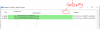
All that I do to configure 3cx to make or receive a call it just doesn't work. These are my settings
(below is an example of what I did
# This file describes the network interfaces available on your system
# and how to activate them. For more information, see interfaces(5).
source /etc/network/interfaces.d/*
# The loopback network interface
auto lo
iface lo inet loopback
# The primary network interface
allow-hotplug eth0
auto eth0
iface eth0 inet static
address 10.40.0.10 #default IP address of 3CX, can't be changed after installation
netmask 255.255.255.0
gateway 10.40.0.1
dns-nameservers 8.8.8.8
# second interface to SIP provider
allow-hotplug eth1
auto eth1
iface eth1 inet static
address 10.250.250.2 #IP address of LAN card, used for SIP provider (private LAN)
netmask 255.255.255.252
#static route to provider
up route add -net 213.226.61.0/24 gw 10.250.250.1 dev eth1
I am not sure what is it I am missing.
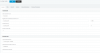
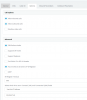
Registrar/Server/Gateway Hostname or IP is proxy IP provided by ISP
outbound Proxy same IP as gateway
IP base registration
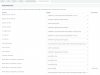
under options
I have Select which IP to use in 'Contact' (SIP) and 'Connection'(SDP) fields I specify the ISP ip given to me.
I am not sure what else to try.
I just got this new sip connection from my ISP on a Fibre link.
I am having trouble getting it to work on my PBX.
Before I plugged it on my PBX I configured the IP on my pc and did a windows route and also used xlite to make and receive calls.
Now on my Debian PBX, I configured a Second nic and I can ping my proxy and I can ping the network it's on.
All that I do to configure 3cx to make or receive a call it just doesn't work. These are my settings
(below is an example of what I did
# This file describes the network interfaces available on your system
# and how to activate them. For more information, see interfaces(5).
source /etc/network/interfaces.d/*
# The loopback network interface
auto lo
iface lo inet loopback
# The primary network interface
allow-hotplug eth0
auto eth0
iface eth0 inet static
address 10.40.0.10 #default IP address of 3CX, can't be changed after installation
netmask 255.255.255.0
gateway 10.40.0.1
dns-nameservers 8.8.8.8
# second interface to SIP provider
allow-hotplug eth1
auto eth1
iface eth1 inet static
address 10.250.250.2 #IP address of LAN card, used for SIP provider (private LAN)
netmask 255.255.255.252
#static route to provider
up route add -net 213.226.61.0/24 gw 10.250.250.1 dev eth1
I am not sure what is it I am missing.
Registrar/Server/Gateway Hostname or IP is proxy IP provided by ISP
outbound Proxy same IP as gateway
IP base registration
under options
I have Select which IP to use in 'Contact' (SIP) and 'Connection'(SDP) fields I specify the ISP ip given to me.
I am not sure what else to try.